Modifying a Range of Detail Values
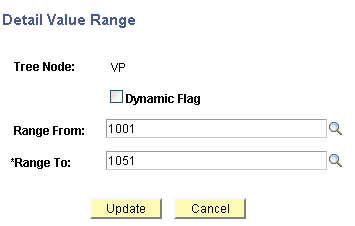
Use the Detail Value Range page (PSTREELEAF) modify the range of values in a detail.
Navigation:
-
Select
-
Search for an existing tree or create a new one.
-
Select a detail value on the Tree Manager page, and click the Edit Properties icon.
This example illustrates the fields and controls on the Detail Value Range page.
To modify a range of detail values:
-
Select
-
Search for an existing tree or create a new one.
-
Select a detail value on the Tree Manager page, and click the Edit Properties icon.
-
On the Detail Value Range page, modify the range values in the Range From and Range To fields.
-
Click the Update button to save your changes.