Using Detail Values (Leaves)
Detail values, or leaves, link a roll-up structure to the supporting detail. For example, the nodes in an account tree are not the actual accounts but categories of accounts. Using this example, the account tree has a node called Assets, with detail values specifying a range of accounts from 1000 to 1999 rolling up to it.
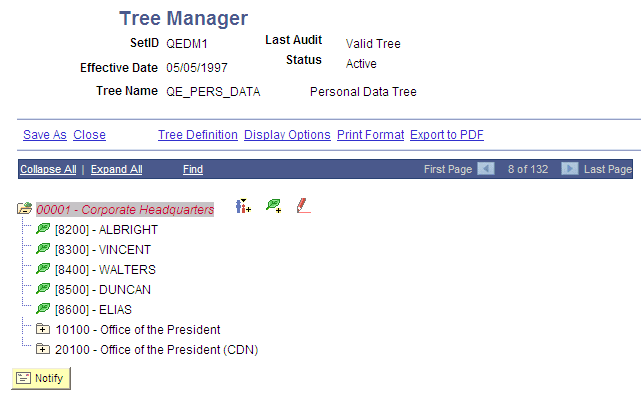
The tree illustrated in the following example shows summarization rules for the PERSONAL_DATA field. In other words, it is an organizational chart for the offices in a company’s headquarters. Individual offices, such as 8200, represent the lowest level of organization and appear at the far right of the tree. The leaves representing the offices are called detail values. Detail values have leaf icons and square brackets [ ] surrounding their names.
This example illustrates a personal data tree with detail values.
Related Topics