Activities
Activities that are intended only for end users (in PeopleSoft Navigator or in workflow activity guides) typically include only steps that correspond either to application pages or to external programs.
When you incorporate workflow, activities also include events and routings. Events represent specific transactions that can occur in the page that is connected to the event. Routings represent notifications that are triggered by that event.
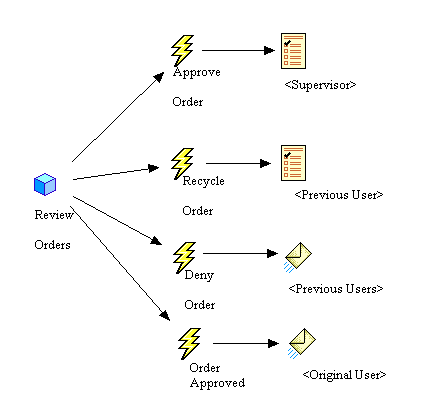
For example, several possible events appear on a page where managers approve orders. The manager can approve or deny the order, or send the order back to the employee for changes. Each event requires routings to inform the next person in the chain (a buyer, an additional approver, or the employee who submitted the original order) about what action must happen next.
This example illustrates an activity with workflow routings.