Building Route Control Profiles
To access the Route Control Profile page, select PeopleTools, Workflow, Routings and Roles, Workflow Route Control Profile.
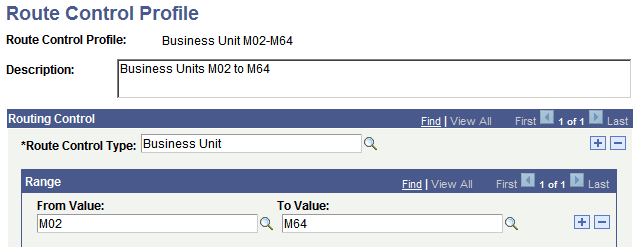
This example illustrates the fields and controls on the Route Control Profile page.
To build a route control profile:
-
Search for an existing route control profile, or create a new one.
The Route Control Profile page appears. Use this page to specify the range of values that is associated with a class of users.
-
Select a route control type from the Route Control Type drop-down list box.
The route control type specifies the prompt tables to which this profile applies.
-
Specify the range of values from the type’s edit table that users with this profile can process.
To provide access to a continuous range of values, select the lowest value in the From Value field and the highest value in the To Value field. To provide access to a single value, select the same value in both fields. To provide access to two values, add a new row to the Range field.
-
(Optional) Assign values for another route control type.
You can assign values for more than one route control type to the same route control profile. With your cursor in the Route Control Type field, click the Add button. Select a new route control type. Assign its authorized values.
-
Save the page.