Checking the WORKLIST_MSG Status
Once the process completes, the service operation WORKLIST_MSG will update the target system with the worklist items. To verify that the service operation was successful, you can check the service operation status in the Service Operation Monitor.
To check the WORKLIST_MSG status:
-
On the source system, select PeopleTools, Integration Broker, Service Operations Monitor , Asynchronous Services.
-
Select the Publication Contracts tab and enter Queue Name WORKLIST_CHNL.
-
Click Refresh.
This example illustrates the fields and controls on the Service Operation Monitor-Publication Contracts page.
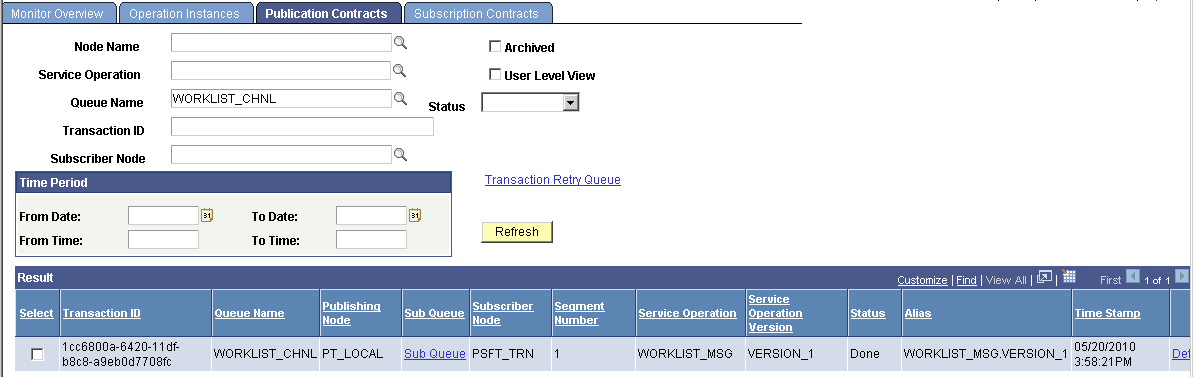
The publication contract should have a status of Done. You can click the Details link to view additional details or review the actual XML message that was sent.
-
On the receiving node, sign on and view the worklist.
-
If the worklist does not appear on the receiving system, then check the Service Operations Monitor to ensure the subscription contract was processed. Select PeopleTools, Integration Broker, Service Operations Monitor, Asynchronous Services and access the Subscription Contract tab.