Defining Generic Templates
To access the Generic Template Definition page, select PeopleTools, Workflow, Notifications, Generic Notification Templates, Generic Template Definition.
This example illustrates the fields and controls on the Generic Template Definition page.
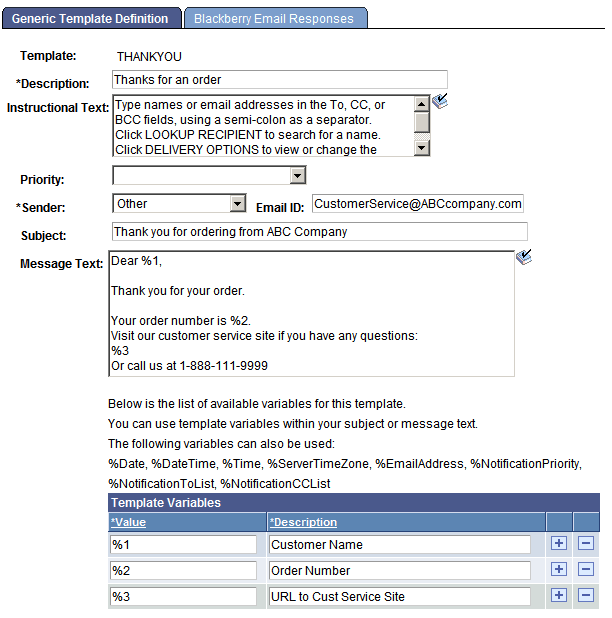
The pages and fields in the Generic Templates component are the same as those for defining the notification templates, except for two key differences:
-
A generic template does not reference any information from the template variables component.
Add template variables directly to the generic template explicitly by adding rows in the template variables grid.
-
A generic template does not support Additional Recipients.
This statement is true because the generic template is not used to launch the Send Notification page, which is where the additional recipients appear.
To use a generic template from a component, you do not select a Notify check box in the component properties dialog box. You must create a button and use PeopleCode to specify which generic template to use. Furthermore, you must pass in data that is needed by the template to populate template variables.
Template variables are placeholders in the template that can be populated with data passed in with PeopleCode. The order of the data being passed must match the order of the corresponding variables in the Template Variables grid. Therefore, name these variables %1, %2, and so on. This naming convention is consistent with the Message Catalog use of variables.