PeopleSoft Navigator Maps
PeopleSoft Navigator is an alternative to the standard portal navigation. With PeopleSoft Navigator, users can see workflow maps and use them to access pages (but not external programs) that are represented within these maps.
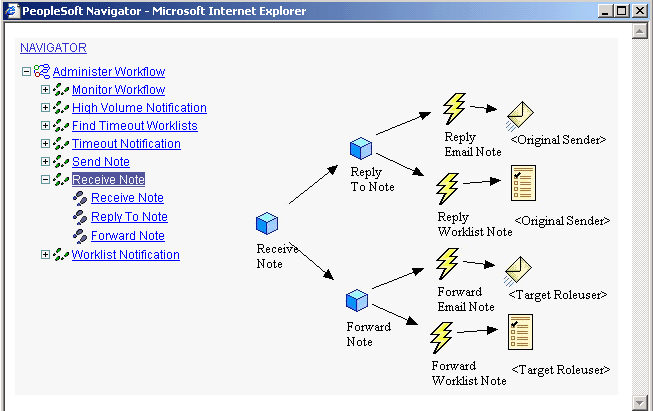
PeopleSoft Navigator presents maps according to their hierarchical relationships. Users can browse the available maps and navigate to individual pages by clicking the step that represents the page. As users move from map to page and back to map, the Navigator tree remains visible on the left-hand side of the screen.
This example illustrates the fields and controls in PeopleSoft Navigator.
You control which maps are visible in PeopleSoft Navigator by defining a Navigator homepage: a top-level business process that greets the user when PeopleSoft Navigator is first accessed. Users can access only the maps that are hierarchically related to this homepage.