Guidelines for Maintaining Integration Objects
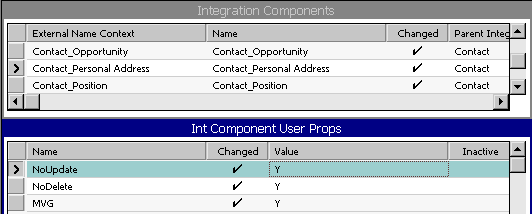
This figure shows the Integration Components list with the Integration Component User Properties set to Y: NoUpdate, NoDelete, and MVG:
The following figure shows that the user properties for the Contact_Personal Address in the Account integration object have been updated to NoDelete/NoUpdate.
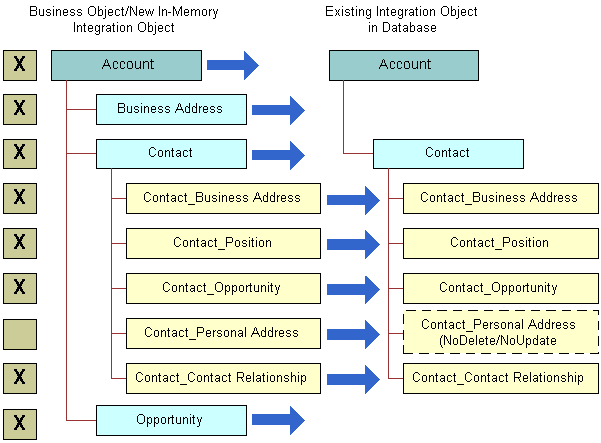
As the examples illustrate, you must be aware of the possible changes that can occur when you synchronize business objects and integration objects. The Integration Objects Synchronize wizard can provide assistance in managing your integration objects, but you must have a clear understanding of your requirements, your data model, and the Siebel business object structure before undertaking a task as important as synchronization.
To make maintenance of integration objects easier, adhere to the following guidelines when creating or editing your integration objects:
-
Use a meaningful name for any user key you have added that is different from the generated user keys. Using meaningful names helps with debugging.
-
Inactivate user keys instead of deleting them.
-
Inactivate fields instead of deleting them.