Oracle Modern Best Practice (OMBP) and Key Features
Oracle Modern Best Practice (OMBP) and Key Features help you discover curated OMBPs by viewing the Key Features associated with each OMBP activity. This experience shows how features, including AI enabled innovations, map to OMBP activities and drive business outcomes.
Use the Oracle Modern Best Practice (OMBP) and Key Features page to explore curated, end-to-end business processes by industry and functional area. From this page you can:
- Filter and browse OMBPs.
- Open an OMBP to review its description and activities.
- View Key Features associated with each activity, including effort and impact indicators and supporting assets.
Access Oracle Modern Best Practice (OMBP) and Key Features
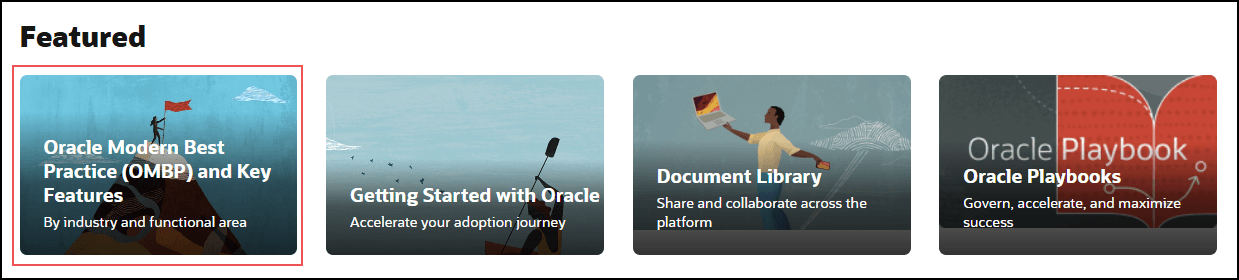
To access from the home page, scroll to the Featured section, and then select Oracle Modern Best Practice (OMBP) and Key Features. You can also select Oracle Modern Best Practice on the application menu.
Explore OMBPs
- Select an Industry to view OMBPs aligned to your business domain Note: By default, the Industry value is set to Cross-Industry. You can change the selection as needed.
- Select a Functional Area to focus on specific business functions.
Note:
By default, all OMBPs are displayed for the Cross-Industry selection. You can use the dropdown to select an industry and view a filtered list.Review OMBP Activities
Select Learn More on an OMBP card to open the OMBP details page. This page displays the activities that make up the OMBP.
- Review a description of the activity.
- Understand its role in the overall process.
- See the number of associated Key Features.
Note:
If no key features are associated, the activity tile is not clickable. If one or more key features are available, the tile becomes clickable and opens the Key Feature summary page.
Select an activity to explore the supporting capabilities.
Understand Key Features
Key Features highlight the most impactful Oracle Fusion Applications capabilities, including AI-enabled innovations.
- A description of the capability.
- The associated product and role.
- Effort and impact indicators.
- Supporting assets such as videos or documentation.
- Identify capabilities that support specific activities.
- Understand how features enable business outcomes.
- Prioritize adoption based on value.
- Curated and updated through regular governance with Product Management.
- Focused on high-impact features and value realization.
- Designed to support continuous transformation before, during, and after go-live.
Use Key Features for decision-making
- Review how features support OMBPs.
- Understand value propositions and expected outcomes.
- Identify AI-enabled capabilities relevant to your organization.
- Support planning and prioritization decisions.