View Region Maps of Disaster Recovery Protection Groups
A region map displays a graphical representation of the DR Protection Groups globally present in a compartment. A region map displays the following information about the DR Protection Groups:
Figure 3-1: Overview of region map
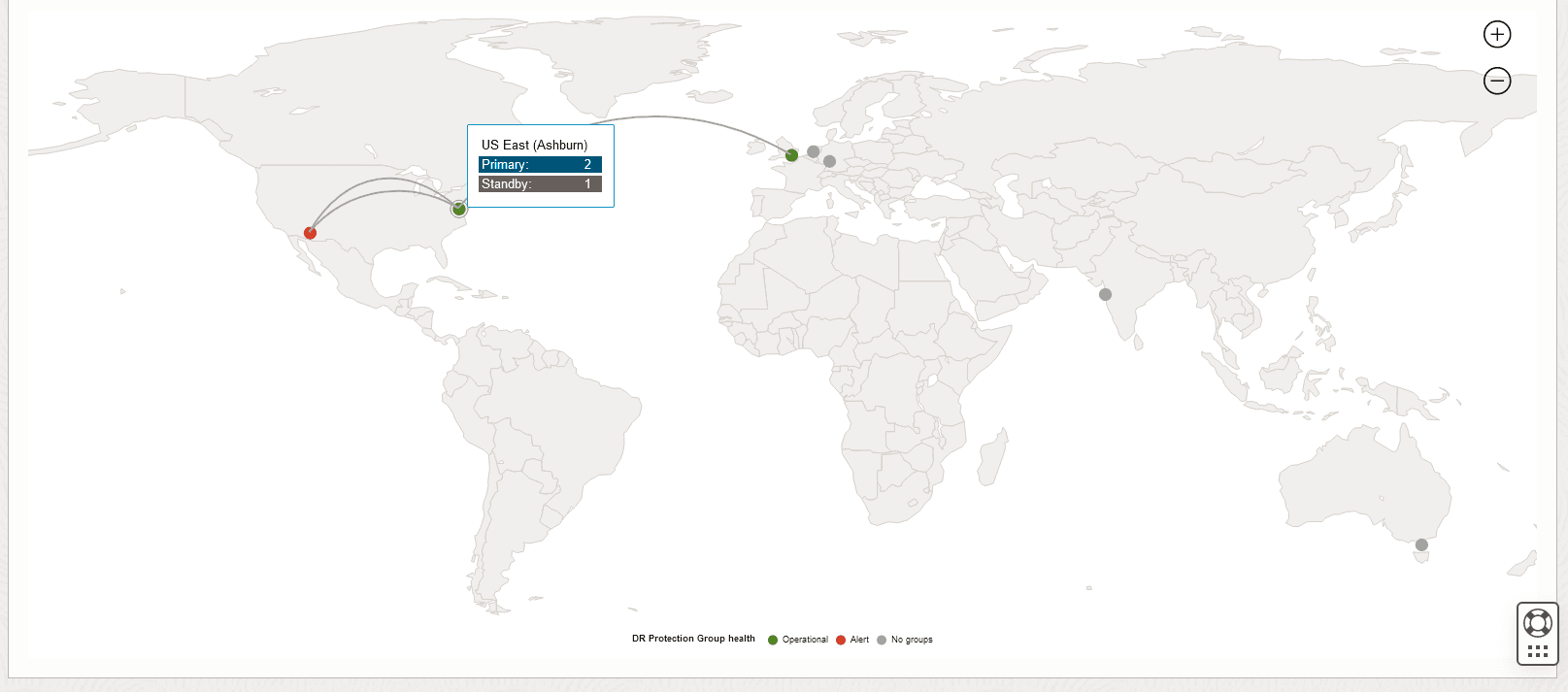
- A global view of all the subscribed regions in the tenancy, where each subscribed region is shown as a dot.
- Links connecting the current region with other regions indicate associations between groups in the current region with groups in other regions.
- Hover over a link (association) to view the names of the Primary and Standby groups in that association.
- Click on a link to visit the details page for the associated group in the current region.
- Hover over a region dot to see a summary of the number of Primary, Standby, and Not-configured groups available in that region.
The color of a region dot indicates the health summary for all groups in that region. DR Protection Group health is shown as follows:
- Operational (Green): Indicates that all the group(s) are working as expected.
- Alert (Red): Indicates that the region has one or more group(s) in the Failed or Needs attention state.
- No groups (Gray): Indicates that no group(s) are configured in the region.
- DR protection group details: Click on the region to view the DR protection group details page.
Additionally, zoom in to view the following details as shown:
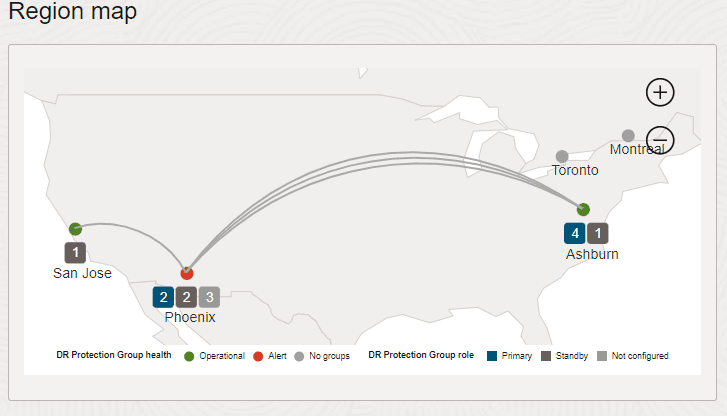
Description of the illustration Additional information in a region map
The number of DR Protection groups in each region based on the role of the DR Protection Group. DR Protection Group role is shown as follows:
- Primary
- Standby
- Not configured