Understand How Topics Affect a Chat
Starting a chat from a topic provides a business context for the conversation and defines which agents and tools Agent Hub can use when processing your requests.
For example, a Finance topic might contain agents and tools that support reconciliation, period close, and financial reporting. When you start a chat from the Finance topic, the orchestrator considers the agents and tools associated with that topic rather than all the resources available to you.
Using a topic can make it easier to work within a particular business area without having to select an individual agent before starting the conversation. For information about topics and how they're organized, see What Are Topics?
Understand How Agent Hub Uses the Selected Topic
The orchestrator evaluates each request and determines whether to invoke an appropriate agent or tool associated with the topic. Different agents associated with the topic can handle successive requests within the same conversation.
For example, one agent might investigate a business issue, while another agent handles a follow-up request about how to address it. Depending on your approval setting, Agent Hub can present agents for selection or invoke the selected agent automatically. If no associated agent or tool is needed to handle your request, the orchestrator can respond directly using the configured large language model (LLM).
See How Agent Hub Processes Requests.
Identify the Topic Associated with a Chat
When you start a chat from a topic, Agent Hub identifies the selected topic with the conversation. This helps you identify the business context in which you're working. 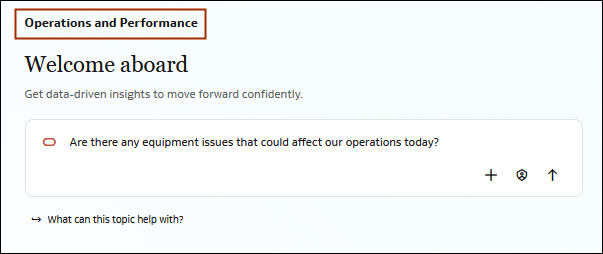
Description of the illustration topic_title.png
Work with a Different Topic
A topic remains associated with the chat in which it was selected. To work within a different topic, start a new chat and select the topic that you want to use.
You can't change the topic associated with an existing chat.
For information about starting a chat from a topic, see Select a Topic.
Why this matters
Topics help focus a conversation on a particular business area without requiring you to know which individual agent is appropriate before you begin. Understanding that the selected topic remains associated with the chat can also help you decide when to continue an existing conversation and when to start a new one.
For information about how access to a topic affects the agents available through it, see Understand Topic-Based Access.