Upload a File to a Chat
Upload a file to provide additional information that Agent Hub can use when processing your request.
Before you upload a file, make sure that it meets the supported file type and size requirements. See Understand Working with Files.
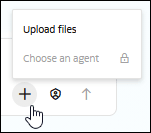
- Go to the prompt field and Click Attach
 and then select Upload files.
- Click Send
 . Agent Hub uses the information in the uploaded file to process your request.