Ask an AIDP Deep Insights Agent a Question
Ask a question about your business data and select the processing settings appropriate for the analysis you need.
You must have the Use Custom Prompts in Deep Insights Agents permission to ask your own questions. If you don’t, you can use featured prompts instead, see Use a Featured Prompt.
- On your home page, hover over the AIDP Deep Insights agent you want to use, click Actions, and then click Open.
- Click New chat.
- Enter your question in the message input area.
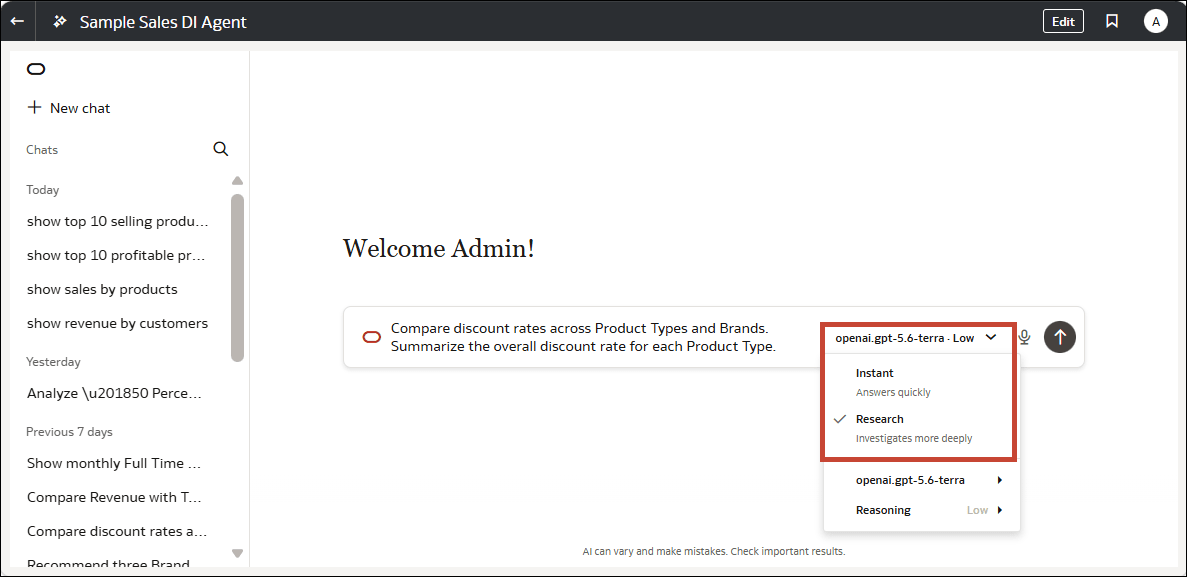
- Open the selector in the message input area and select Instant or Research.
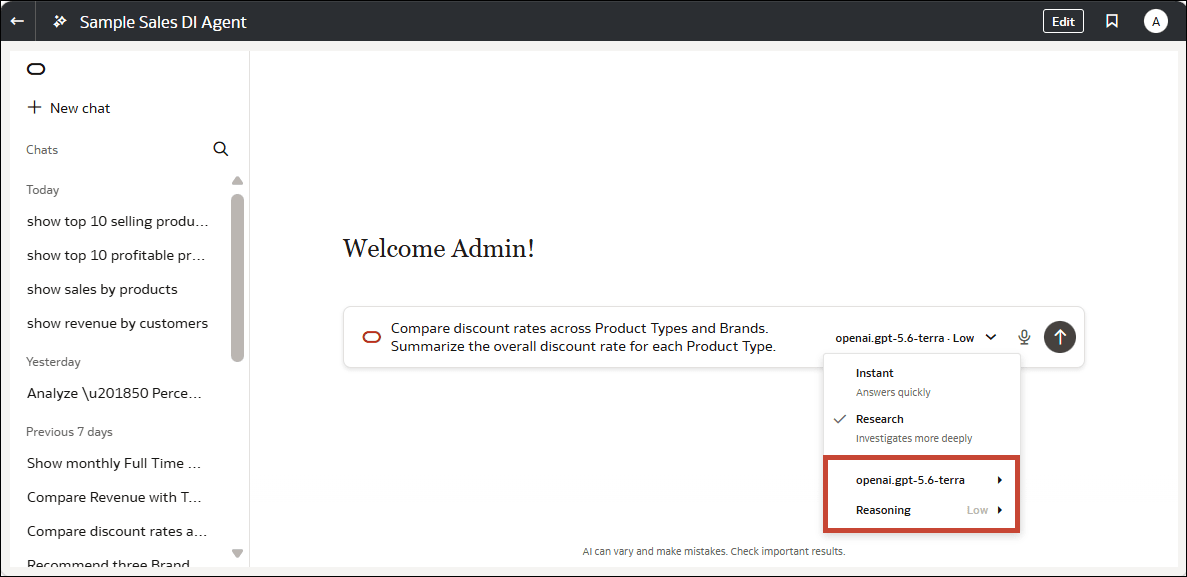
- Select a model and a Reasoning level.
- Press Enter to submit your question.
- Review the response and its sources.
- Optional: Enter a follow-up question in the message input area and submit it.