Copy a Visualization from Another Workbook
Copy a visualization from one workbook and paste it to another to share analytics content. Copying a visualization also copies the dataset used by the visualization.
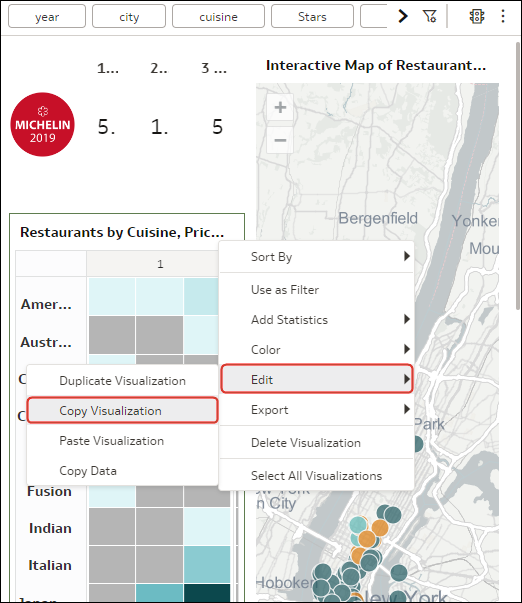
- On the canvas, hover over the visualization, click Menu, select Edit, then select Copy Visualization.