Enable and Disable Data Actions
You can enable or disable data actions in a workbook. This enables you to control which actions workbook users can access. By default, all data actions are enabled.
- On your home page, hover over a workbook, click Actions, and select Open.
- In the Grammar panel, navigate to the Properties pane.
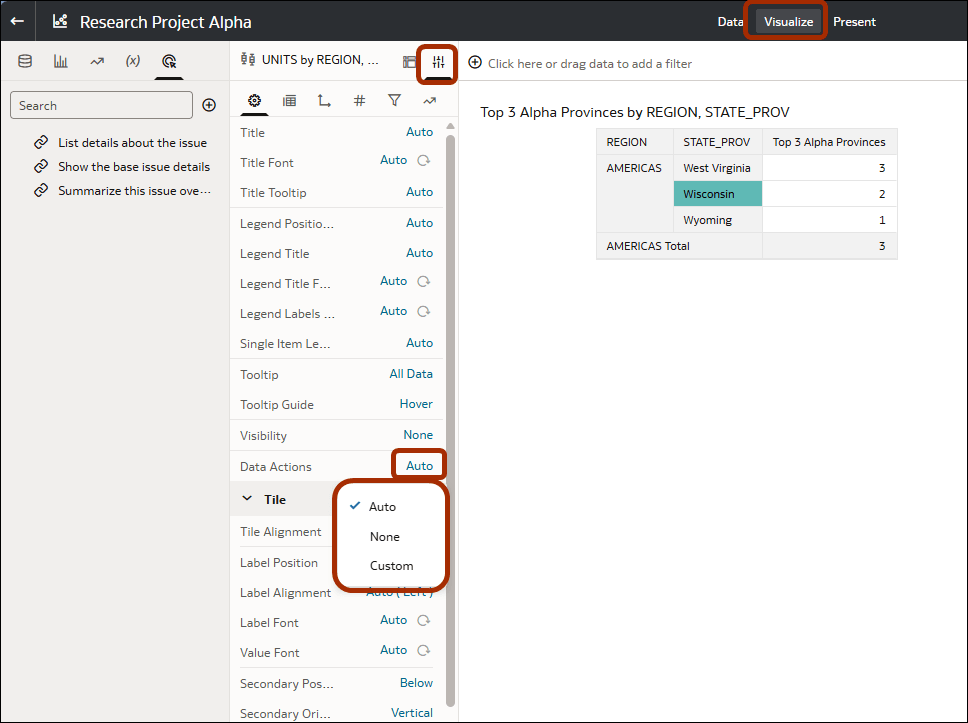
- Under Data Actions, click the setting (the default is Auto). and select an option.
- Auto - Enable all data actions in the workbook.
- None - Disable all data actions in the workbook.
- Custom - Choose which data actions to enable and disable in the workbook. A popup dialog provides a tick-list.
- Save the workbook.