About Items in the Catalog
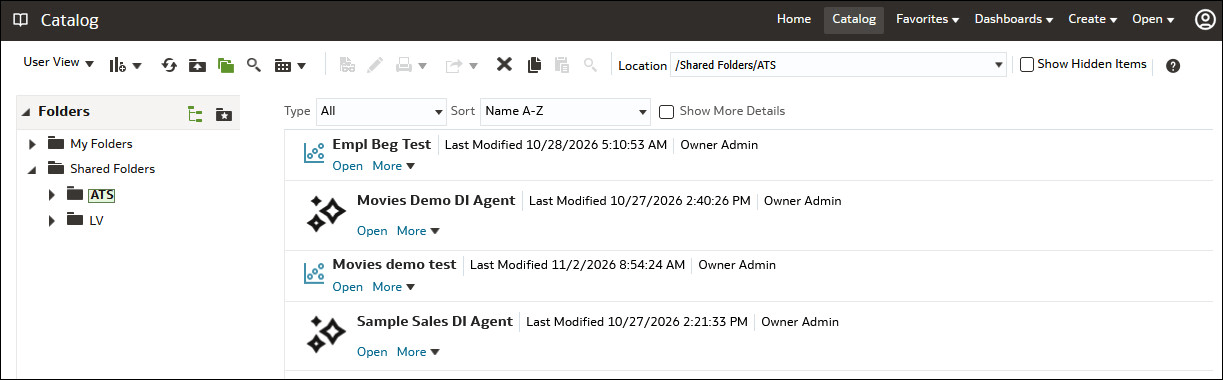
The figure below shows sample items in the catalog.
Guidelines for Item Names
The item name that's visible to users, such as Analysis 1, is sometimes referred to as the logical item name.
The following list provides guidelines for item names:
- Avoid the special characters listed in About Naming Restrictions for Items in the Catalog.
-
The length of an item name mustn't exceed 256 Unicode characters.
-
The length of an item path name mustn't exceed 16000 Unicode characters.
-
The number of directory segments in an item path name mustn't exceed 255 segments.
For example, a directory with a name such as /n1/n2/n3/n4/…./n253/n254/n255 is acceptable, while a name such as /n1/n2/n3/n4/…./n254/n255/n256 is unacceptable.
-
When you pass the path name of an item using SOAP, you must escape the following characters:
Forward slash (/)
Backward slash (\)
Tilde (~)
Asterisk (*)
Question mark (?)
For example, the following item path names are valid:
/shared/test/Hello World
/shared/test/Profit \/ Loss
/shared/test/% Sales \* $ Cost \~\~ $ "Expense"\?
Use care when building the path for a catalog item. It's very common to see code that assumes the forward slash (/) is always a path separator. Always verify your path code with item names such as "Profit / Loss".
-
When you pass a catalog search filter using SOAP, you must escape the following characters:
Forward slash (/)
Backward slash (\)
Tilde (~)
Asterisk (*)
Question mark (?)
Caret (^)
Dollar sign (?)
For example, the following search filters are valid:
Hello World
Profit \/ Loss
% Sales \* \$ Cost \~\~ \$ "Expense"\?
Attribute Files for Items
Each item has a corresponding attribute file. For example, the analysis called Analysis1 has a corresponding attribute file named Analysis1.atr. The attribute file contains the item's full name, access control list (ACL), description, and so on. To access an item in the catalog, users must have appropriate ACL entries for that item All items in the catalog use ACL entries.
Lock Files for Items
To guarantee that only one user can write to a file at one time, a lock file is created when an item is being written to. On rare occasions (for example, after a power outage), temporary lock files in the catalog might not be completely removed. If Oracle Analytics reports such a lock file, then you must delete it manually.