Modify a Shared Calculation
You can modify shared calculations from any workbook that uses them. When you modify a shared calculation, you modify a shared object. Any changes that you make affect every workbook that uses that shared calculation.
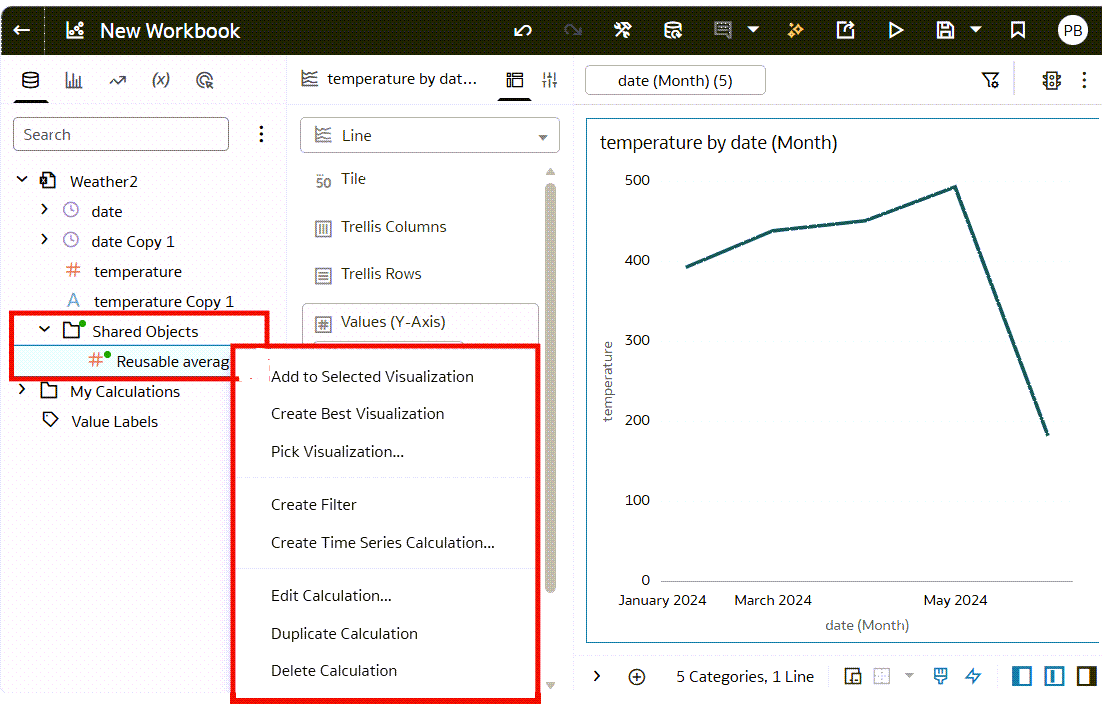
Shared calculations are stored in the Shared Objects folder of a dataset displayed in the Data Panel.
When you update a calculation in the Shared Objects folder, both show green dots on their names to indicate your changes aren't saved.
Before you start, you need to know the name of a workbook that has the shared calculation.
- On your home page, hover over a workbook, click Actions, and select Open.
- In the Data pane, expand the Shared Objects folder.
- Right-click the calculation that you want to modify and click Edit Calculation.
- In the calculation dialog, make your changes.
- Click Save, then click Save Shared Objects.