Overview to Using Generative AI Models in Oracle Analytics
Find out how you can use generative AI in Oracle Analytics to power your data flows, workbooks, datasets, and semantic models. For example, you can summarize customer comments, classify support tickets, or filter records based on natural-language criteria.
With models from Oracle Cloud Infrastructure or Oracle Autonomous AI Lakehouse, you can apply AI functions directly within these assets.
- Generate text - using the
AI Generatefunction. - Create group-level summaries - use the
AI Aggregatefunction. - Apply semantic filters - use the
AI Filterfunction.
For example, in this example, a data flow uses the AI Generate function in an
Add Column step to generate text.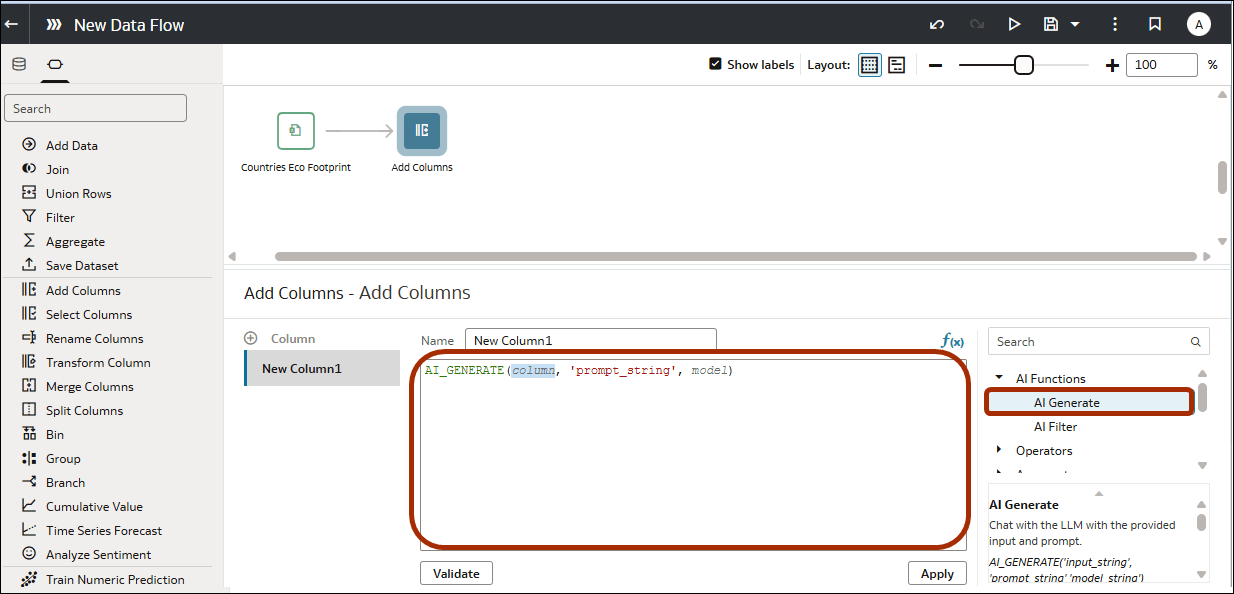
Description of the illustration ai-functions-5.png
See AI Functions.
Resource Considerations for Using AI Functions
Use these guidelines when choosing where to deploy generative AI:
- Data flows are the most efficient way to deploy generative AI. The resource cost is incurred once when the data flow is run to create a dataset. You can use the dataset without using further generative AI resources.
- Using workbooks, datasets, and semantic models to deploy generative AI is resource intensive. The resource cost is incurred every time the semantic model, workbook, or dataset is used. Make sure that you fully test resource usage before production rollouts.
Performance Considerations for Using AI Functions
Processing time and cost can vary depending on:
- The number of rows processed: AI_GENERATE and AI_FILTER are typically evaluated per row.
- The number and size of groups: AI_AGG runs once per group, but group text can be large.
- Prompt/predicate length and input size: Longer inputs generally take longer and can reduce consistency.
- Model/provider characteristics: Response time and usage limits depend on the model asset (provider and model) you select. For faster query execution, choose a non-reasoning model.
For best results, keep prompts clear and constrained, label input fields consistently, and keep inputs focused (avoid sending unnecessary columns or very long text when a shorter excerpt works). Refer to the best practices for each function. See AI Functions.
About Sourcing Generative AI Models from Oracle Autonomous AI Lakehouse
- You can only process datasets sourced from Oracle Autonomous AI Lakehouse. That is, you can't use datasets created from spreadsheets, CSV files, or other database types.
- The datasets that you process and the generative AI models must be sourced from the same database.
- The datasets that you process and the generative AI models must be accessed via the same database connection.
Using Generative AI in Data Flows
In data flow designer, add an Add Column, Transform Column, or Filter
step with an expression filter, and select one of the AI functions from the function
picker.
Description of the illustration ai-functions-5.png
Using Generative AI in Workbooks
In workbook designer, add a calculation, and select one of the AI
functions from the function picker.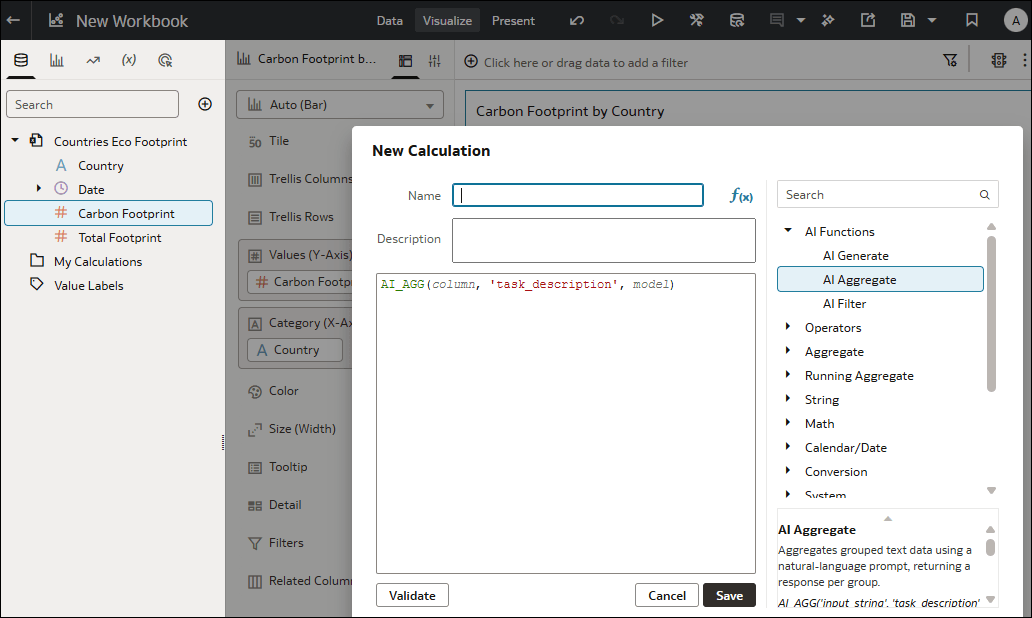
Description of the illustration ai-functions-6.png
Using Generative AI in Datasets
In dataset editor or transform editor, add a calculation or create a
column, and select one of the AI functions from the function picker.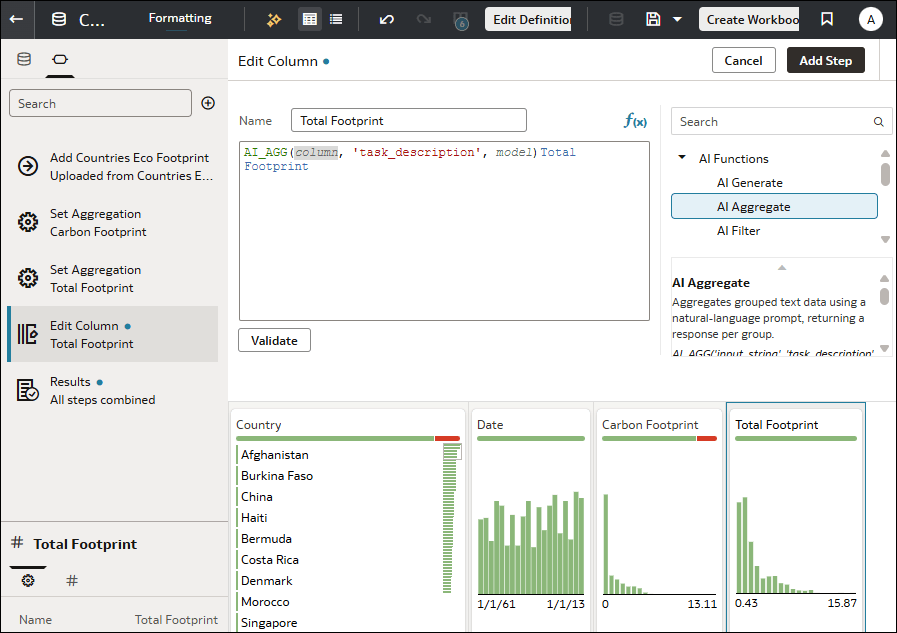
Description of the illustration ai-functions-7.png