Sort Attribute Data Using a Sort Key
In Oracle Analytics, text attribute columns are sorted alphabetically by default (also called lexical order). In some cases, alphabetical sorting isn't the order you want. For example, month names should usually appear in calendar order rather than alphabetical order.
Sort keys enable you to sort data in the order you want. Columns with additional sort keys are sometimes referred to as double-columns.
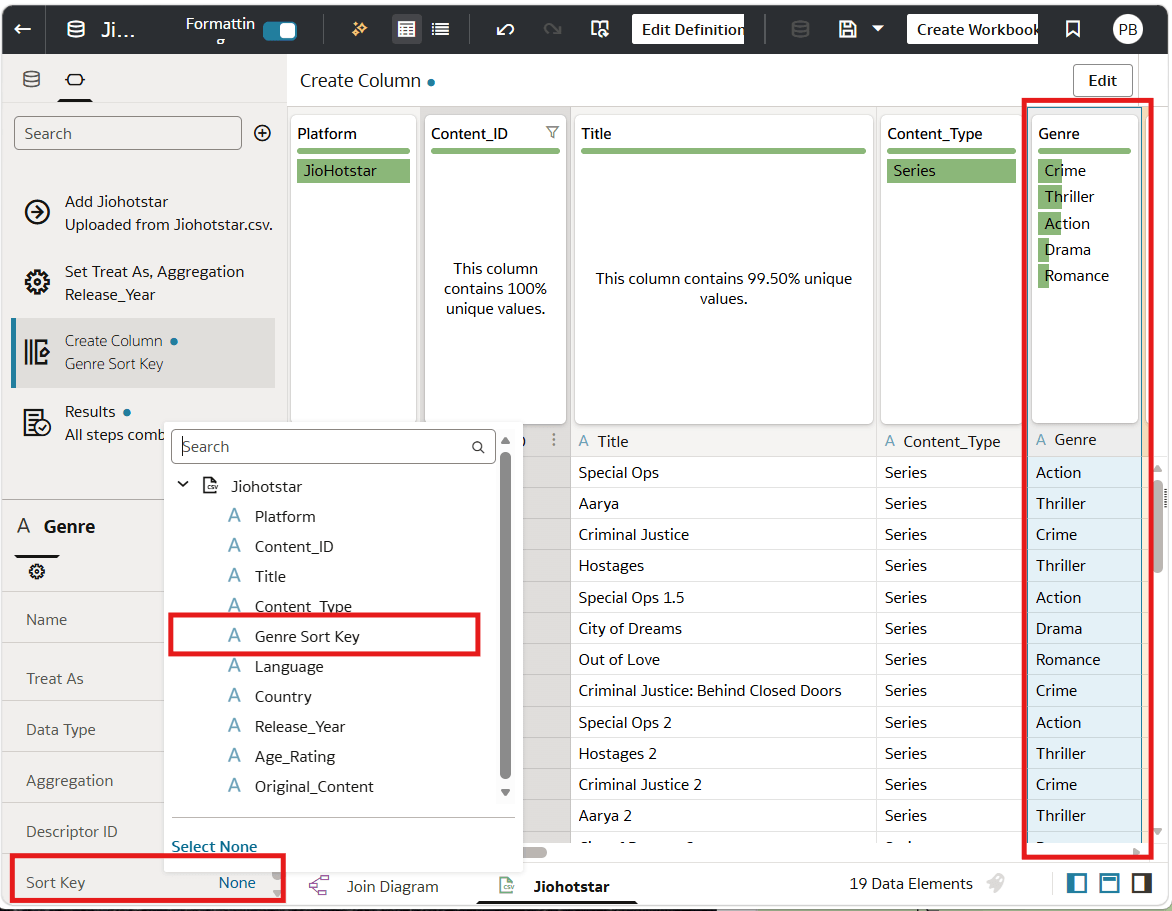
In the dataset editor you configure the column to sort using a sort key that contains the sequence.
- On your home page, open the dataset that you want to sort.
- In the Join Diagram, double-click the table.
- Select the attribute column you want to sort.
- In the Data Panel, click Sort Key and select the sort key column.