Specify a Descriptor ID for a Dataset Created from a Connection
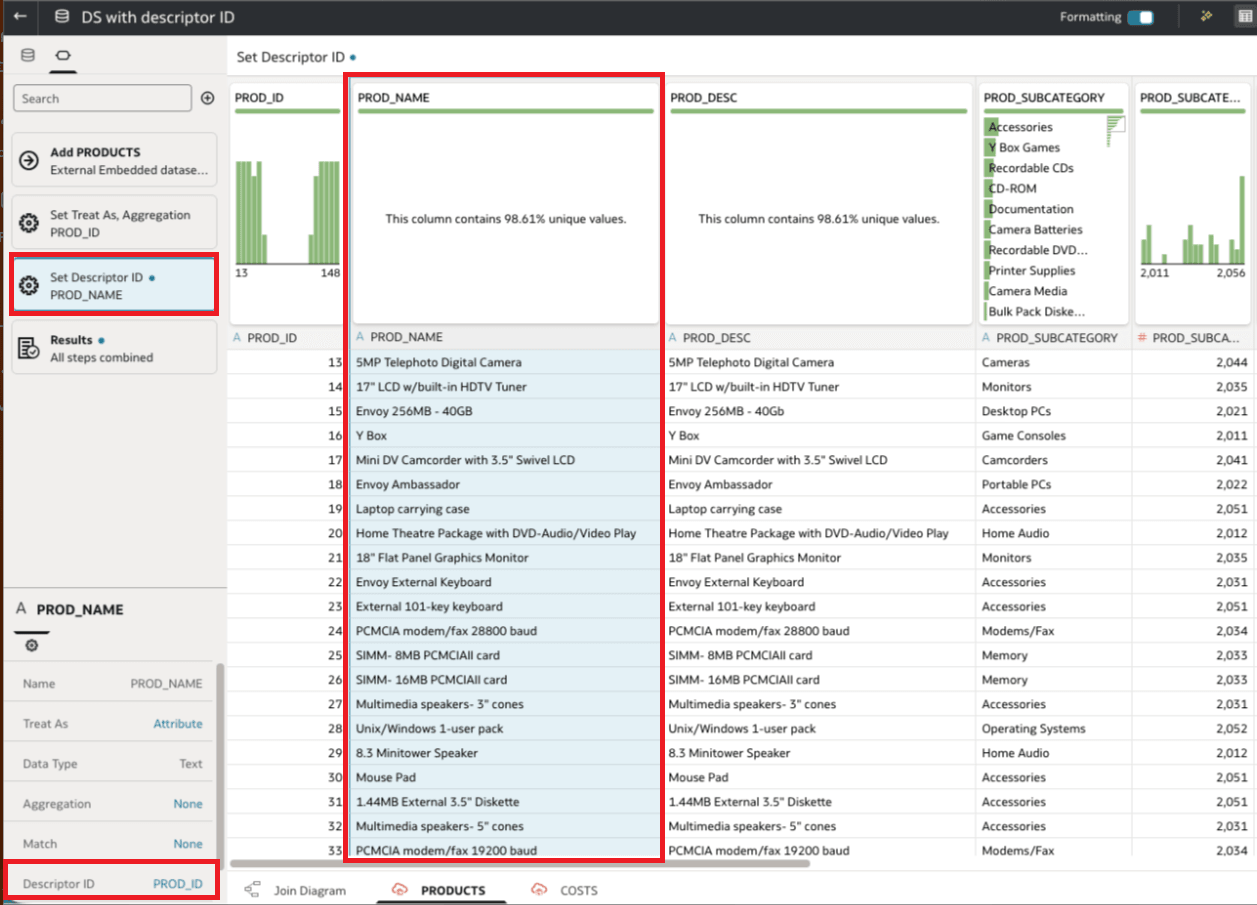
For a dataset created from a connection, the dataset author specifies the descriptor ID in the Dataset Editor.
Note:
The descriptor ID column must be in the same dataset table as the descriptor column and must correctly identify its values. For example, if the PRODUCT_NAMEAurora Pro Noise-Canceling Headphones and its corresponding PROD_ID is 14, the descriptor ID relationship associates the displayed product name with product ID 14.
- On your home page, hover over a dataset for which you have edit permissions, click Actions, and then select Open. If the dataset contains a single table, you'll see the transform editor. If the dataset contains multiple tables, you'll see the Join Diagram. In the Join Diagram, right-click a data source and click Open to display the transform editor.
- In the properties pane, select the column to use as the Descriptor ID. For example, select PROD_ID.