
 Deploy a PHP Application to Oracle Cloud
 Before You Begin
This 10-minute tutorial shows you how to create a basic PHP application on Oracle Application Container Cloud Service.
Background
Oracle Application Container Cloud Service lets you deploy Java SE, Node.js, PHP, and Python applications to the Oracle Cloud.
What Do You Need?
Access to an instance of Oracle Application Container Cloud Service
 Create a PHP Application
-
Create the
index.phpfile in your local system and add the following content:<?php echo "<h1>Welcome to my page</h1>"; echo "<h3>Testing PHP on Oracle Application Container Cloud Service.</h3>"; ?> - Create the
manifest.jsonfile and add the following content:{ "runtime":{ "majorVersion":"7.1" }, "release": {}, "notes": "Hello World PHP application" } - Open a command-line window and go to your project directory.
- Compress both the
index.phpandmanifest.jsonfiles together in a.zipfile:zip getting-started-php-accs.zip index.php manifest.json
 Deploy Your Application to Oracle Application Container Cloud
- Open the Oracle Application Container Cloud Service console.
- In the Applications list view, click Create Application and select PHP.
- In the Application section, enter a name for your application and click Browse.
- On the File Upload dialog box, select the
getting-started-php-accs.zipfile you created in the previous section and click Open. - Keep the default values in the Instances and Memory fields and click Create.
- Wait until the application is created. The URL is enabled when the creation is completed.
- Click the URL of your application.
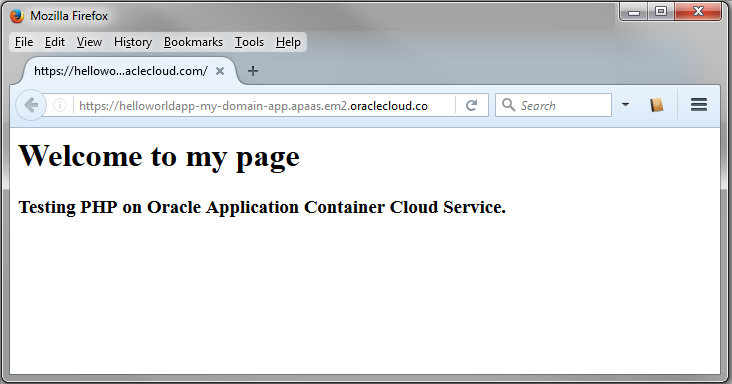
Description of the illustration hello-world-app-response.png
 Want to Learn More?
- Oracle Application Container Cloud Service in the Oracle Help Center