Start from a Recipe
The easiest way to add a simple human in the loop workflow to agentic AI is to use a ready-made human workflow recipe available as an agentic AI tool.
Benefits of using a recipe
- The recipe includes every asset required for a simple approval workflow.
- No need to build workflows and dependent assets such as forms and integrations from scratch.
- All required assets are bundled and managed within the recipe.
Prerequisites: Create a project. See Create or Import a Project in Using Integrations in Oracle Integration 3.
- In the left toolbar, click Agentic AI
 .
. - In the Create tool dialog, enter the following information:
- In the Type drop-down field, select Recipe.
- In the Recipe type drop-down field, select the human in the loop recipe.
- The Name field gets automatically populated with the recipe's name. If required, you can update this to a name of your choice.
- The Identifier field gets automatically populated based on the recipe's name.
- Enter a meaningful description in the Description field. This is an optional field.
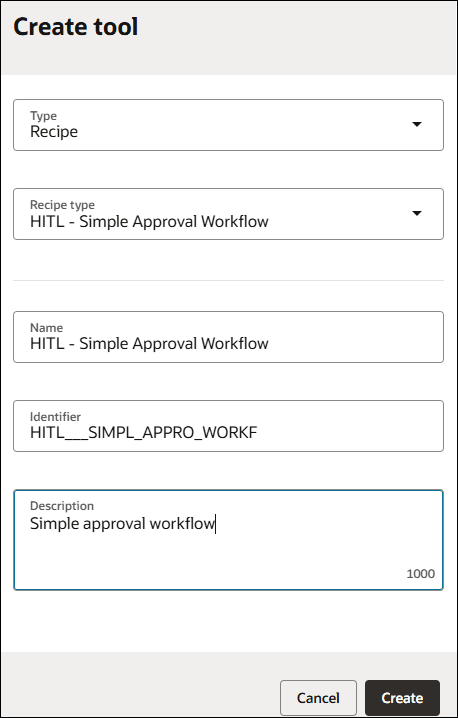
- Click Create.
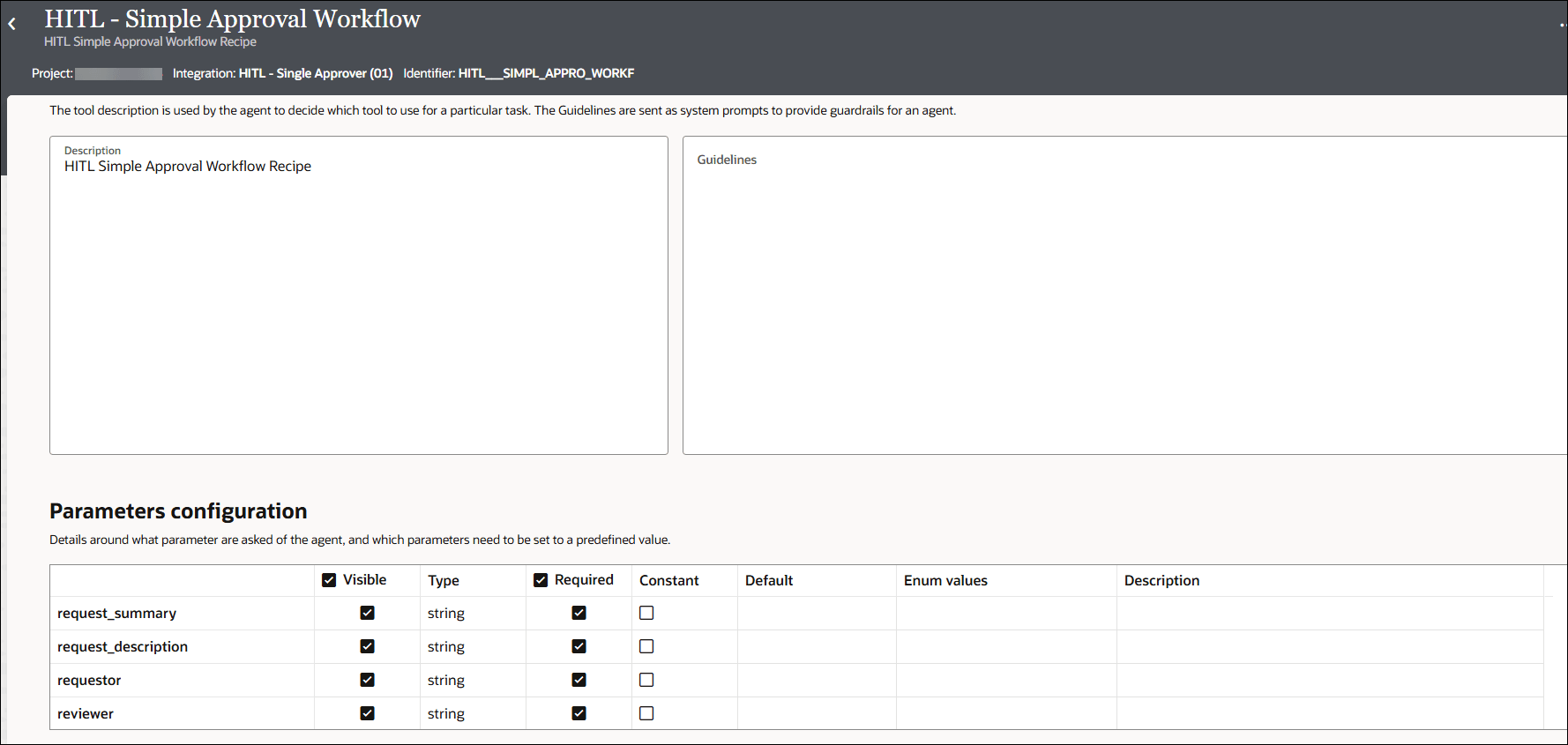
The tool details page opens. The tool details page lists the tool description, guidelines, and input parameters that are preconfigured and part of the human in the loop recipe.
- Click Back
 to return to the project workspace.
 - Note that several assets were automatically created as part of the tool that was created by the recipe.
- In the left toolbar, select Human in the loop
 . A workflow and a form were automatically created by the recipe and gets displayed under the Workflows and Forms sections respectively.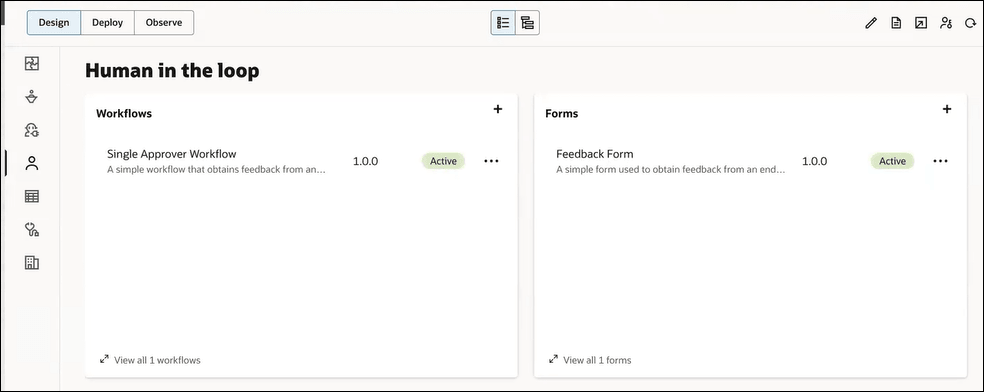
- In the left toolbar, select Integrations
 . An integration and a connection were automatically created by the recipe and gets displayed under the Integrations and Connections sections respectively.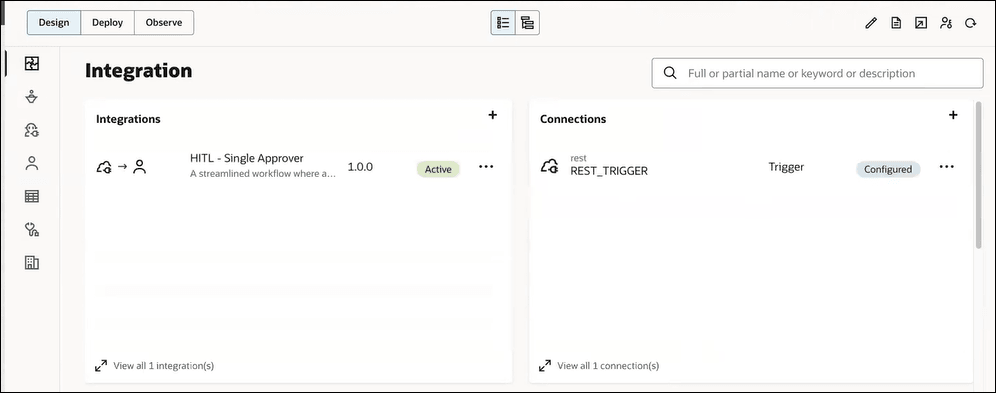
- In the left toolbar, select Human in the loop
An AI agent can readily use this tool that just got created to invoke a simple human in the loop workflow and thus incorporate human oversight.
To continue working on the AI agent, see the following:
- Build the AI Agent in Using Agentic AI in Oracle Integration 3.
- Run and Test the AI Agent in Using Agentic AI in Oracle Integration 3.