File Names with Spaces Cause Errors
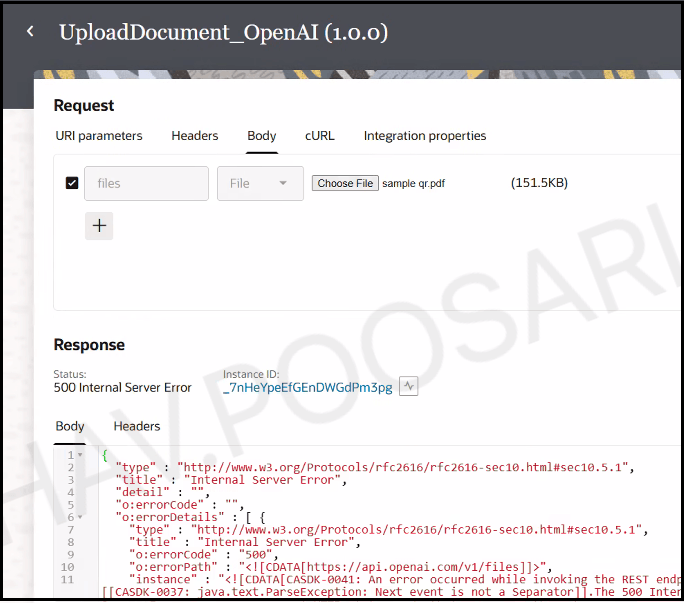
If the uploaded file name includes spaces, you receive the following errors. To avoid these errors, replace spaces in file names. For example, add an underscore or a dash.
If the uploaded file name includes spaces, you receive the following errors. To avoid these errors, replace spaces in file names. For example, add an underscore or a dash.