Ingest Data into OCI Search with OpenSearch
This use case demonstrates how to use the OpenSearch Adapter to ingest JSON payload data into OCI Search with OpenSearch.
curl "Username:Password" -X POST "https://localhost:9200/test_index/_doc?pretty=true" -H "Content-Type: application/json" -d '
{
  "name": "product name",
  "price": 19.99,
   "description": "product description"
}'
The curl command ingests a new document whose payload is passed as a
parameter in the test_index index and returns the new document
id if successful.
- Define the following values in the Expression Builder.
Target Element Expression Builder Value Input Payload The following payload is ingested into OCI Search with OpenSearch as escaped JSON string content:
'{ "name": "product name", "price": 19.99,
"description": "product description" }'
The payload can include any contents you want. However, you must ensure that the content to pass is correctly defined. Otherwise, an error occurs.
Relative URI The URI to call relative to the base URL you specified on the Connections page.
For this use case, this setting ingests a new document named
docinto thetestindex:"/test_index/_doc"Method The HTTP method to call:
"POST"Query Parameters Optional HTTP query parameters. For example: - Key =
"pretty" - Value =
"true"
The completed mapper looks as follows:
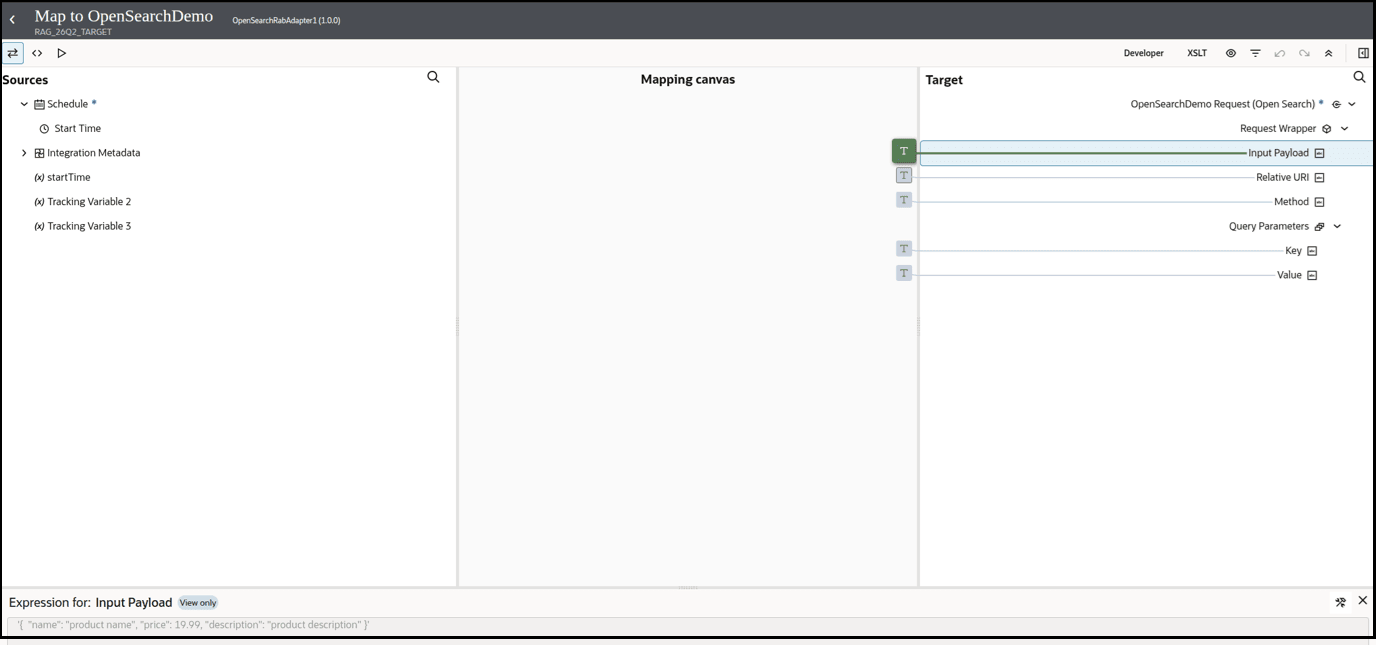
The end result of this mapping is as follows:- A new document containing the above JSON payload is
ingested into the
test_indexindex. - The corresponding document ID is returned with the
_idattribute as part of the response from OCI Search with OpenSearch.
- Key =
- Define a log action to capture the response payload returned by the invoke
connection in the activity stream.
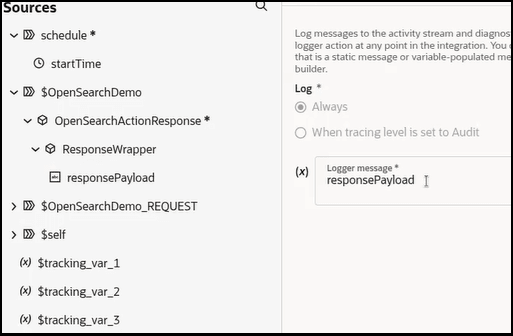
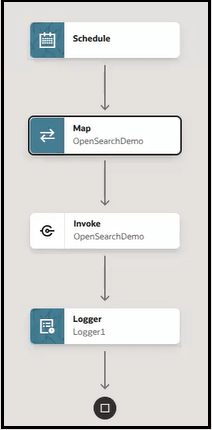
- Specify a business identifier and activate the integration.
The completed integration looks as follows:
- From the Actions
 menu, select Run.The Configure and run page appears.
 - View the message sent to the OpenSearch Adapter invoke connection
to begin this integration.
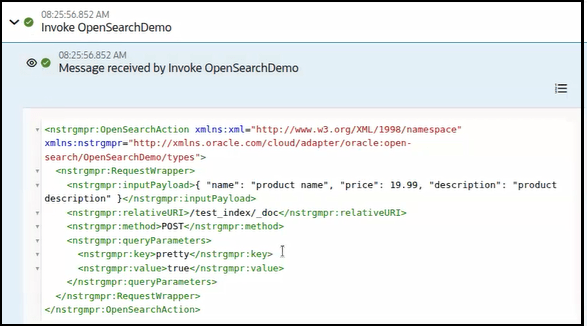
- View the wire message payload sent to OCI Search with
OpenSearch.
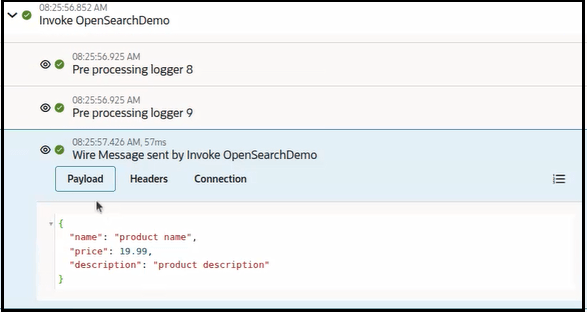
- View the wire message payload received back from OCI Search with
OpenSearch.
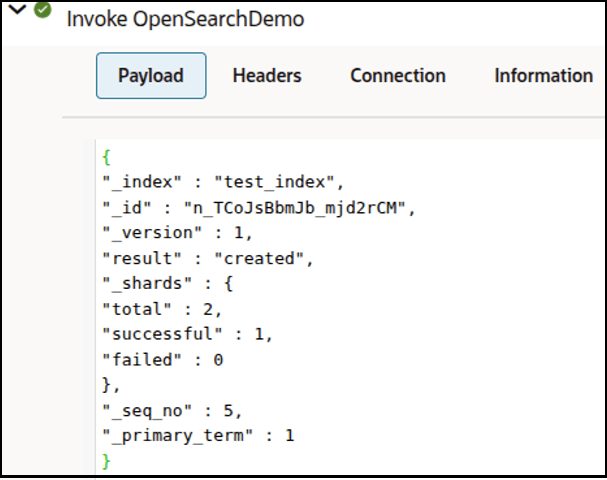
- Expand the logger to view more details about the response. An
_idvalue is provided for the new data indexed in OCI Search with OpenSearch.