Calculate Peak Loads and Message Pack Usage
If you don't want to use the cost estimator tool, and you'd prefer to manually calculate the number of message packs you'll need for your Oracle Integration instance, use the calculations in this section.
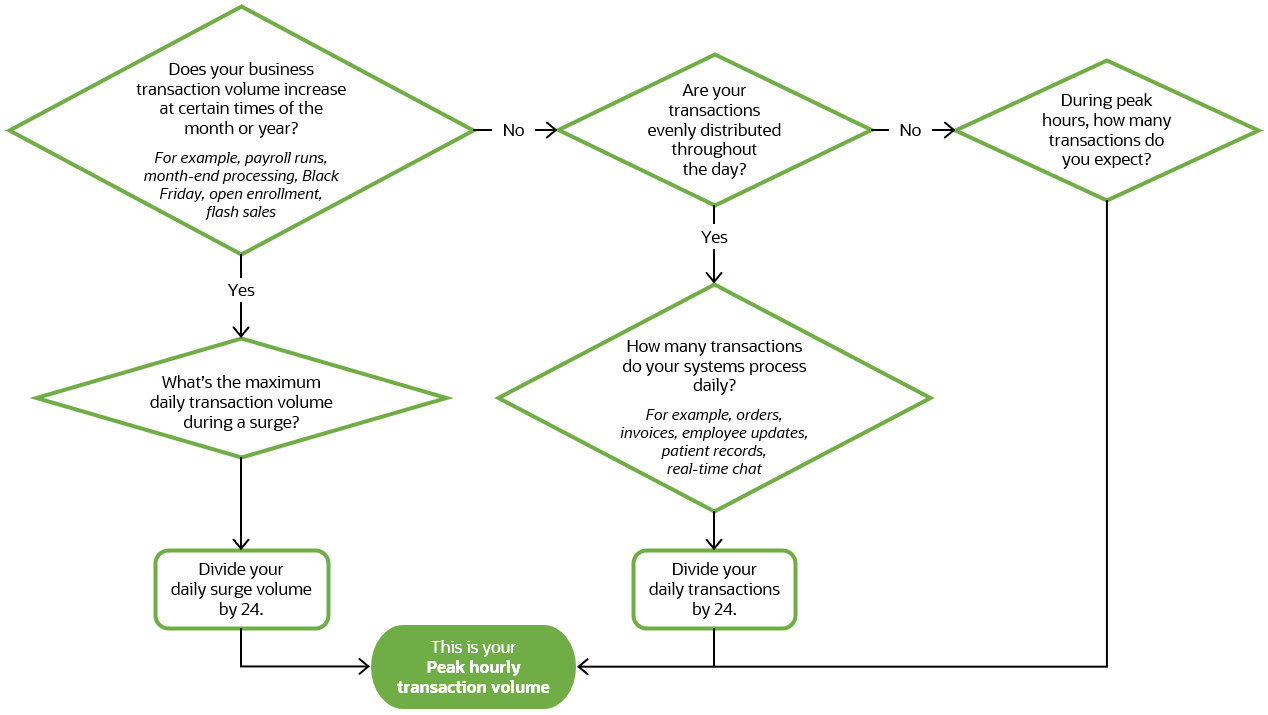
Estimate your peak hourly transaction volume
It's critical to understand when peak transaction volumes occur—whether during month-end, quarter-end, or seasonal events. These spikes might last an hour or span several days. Identifying such patterns helps you accurately estimate message volumes.
| Question path and details | Next steps |
|---|---|
|
Does your business transaction volume increase at specific times of month or year? For example, payroll runs, month-end processing, Black Friday, open enrollment, flash sales |
Yes What's the maximum daily transaction volume during a surge? Divide your daily surge volume by 24. This is your No Move on to the next question. |
|
Are your transactions evenly distributed throughout the day? |
Yes Move on to the next question. No During peak hours, how many transactions do you expect? This is your |
|
How many transactions do your systems process daily? For example, orders, invoices, employee updates, patient records, real-time chat |
Divide your daily business transactions by 24. This is your |
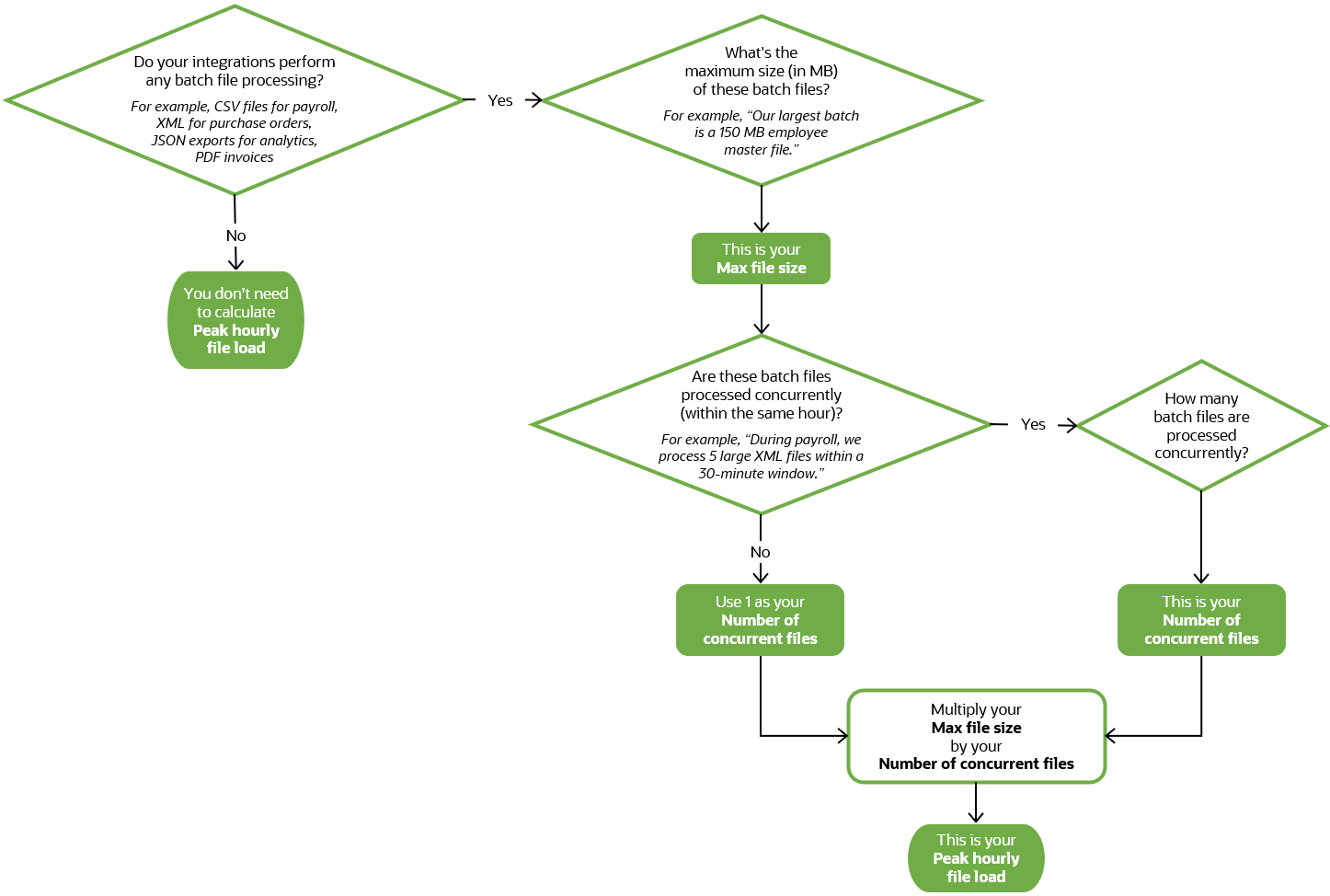
Estimate your peak hourly file load
It's also important to understand the frequency, size, and timing of any batch processes you run—such as daily file uploads, scheduled data syncs, or end-of-day processing. This number helps you accurately assess overall message volume and ensure your environment is sized appropriately to handle both real-time and scheduled workloads efficiently.
| Question path and details | Next steps |
|---|---|
|
Do your integrations perform any batch file processing? For example, CSV files for payroll, XML for purchase orders, JSON exports for analytics, PDF invoices |
Yes Move on to the next question. No You don't need to calculate a peak hourly file load. |
|
What's the maximum size (in MB) of these batch files? For example, “Our largest batch is an employee master file at 150 MB.” |
This is your Move on to the next question. |
|
Are these batch files processed concurrently (within the same hour)? For example, “During payroll week, we process 5 large XML files within a 30-minute window.” |
Yes How many batch files are processed concurrently? This is your Move on to the next question. No Use 1 as your Move on to the next question. |
|
Based on your answers, calculate your peak file load |
Multiply your This is your |
Calculate how many message packs you need
Now that you know your peak hourly transaction volume and your peak hourly file load, you can calculate how many message packs you need for your Oracle Integration instance using the steps in the following table.
| What to calculate | Formula |
|---|---|
|
Calculate your peak hourly file load in KB, rounded up to a whole number. |
|
|
Calculate the number of messages used for your peak hourly file load, rounded up to a whole number. One message is used for each 50 KB. |
|
|
Calculate the number of total messages used for your peak hourly file load and peak hourly transaction volume, rounded up to a whole number. |
|
|
Calculate the number of message packs needed to accommodate the number of messages used, rounded up to a whole number. As noted above, the number of messages included in a message pack is based on the type of Oracle Integration license you select. |
|