Address UI Changes Automatically with AI-Assisted Self-Heal
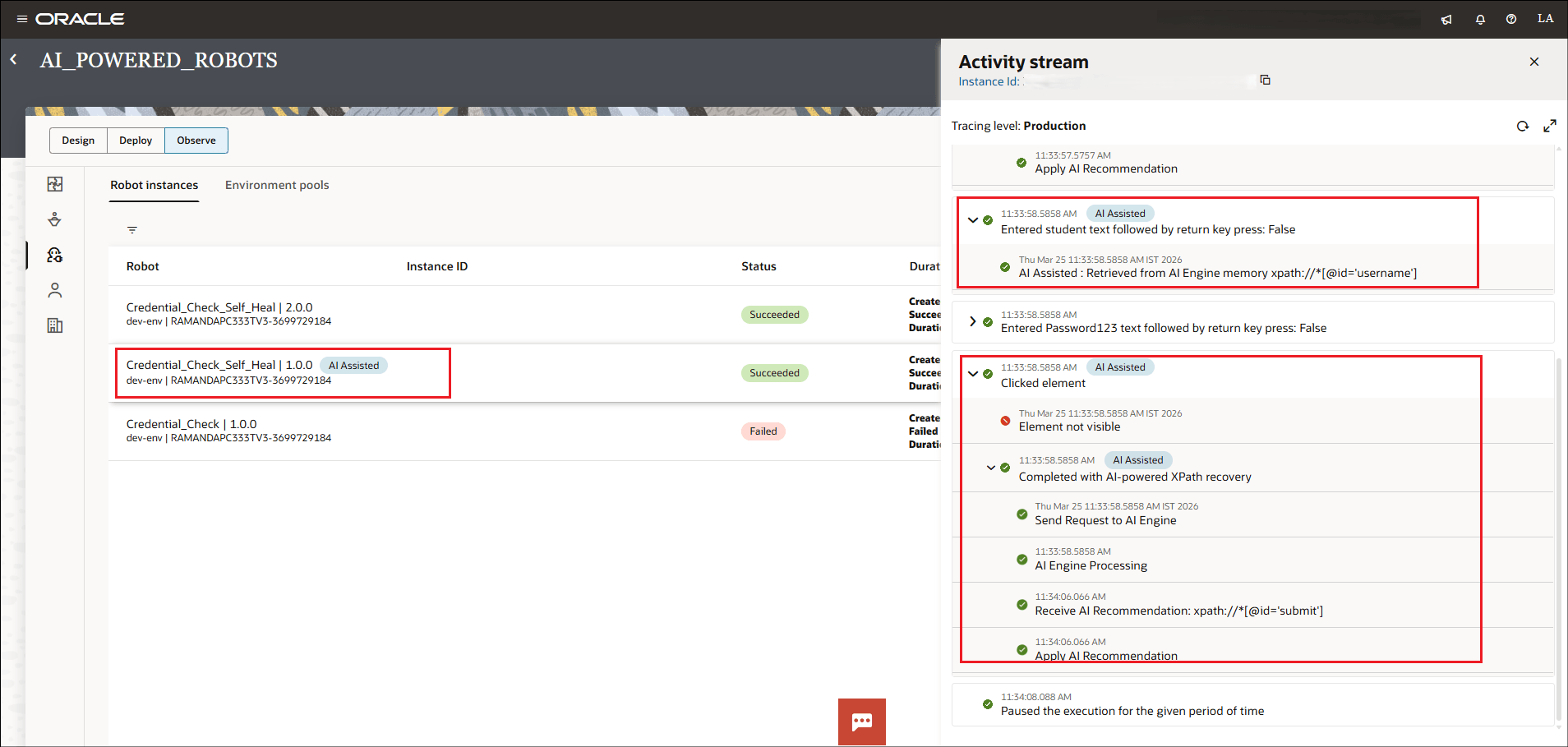
When UI changes occur (such as the Submit button renamed to Login), the AI-assisted self-heal feature automatically updates the XPath and allows the robot to continue execution.
The following image displays the error encountered when the robot execution
started and how it was corrected with AI-powered XPath recovery by receiving the AI
recommendation, applying it and continuing with the flow execution. The AI
recommendations are persisted and retrieved the next time the error is encountered for
the XPath in the context of the robot.
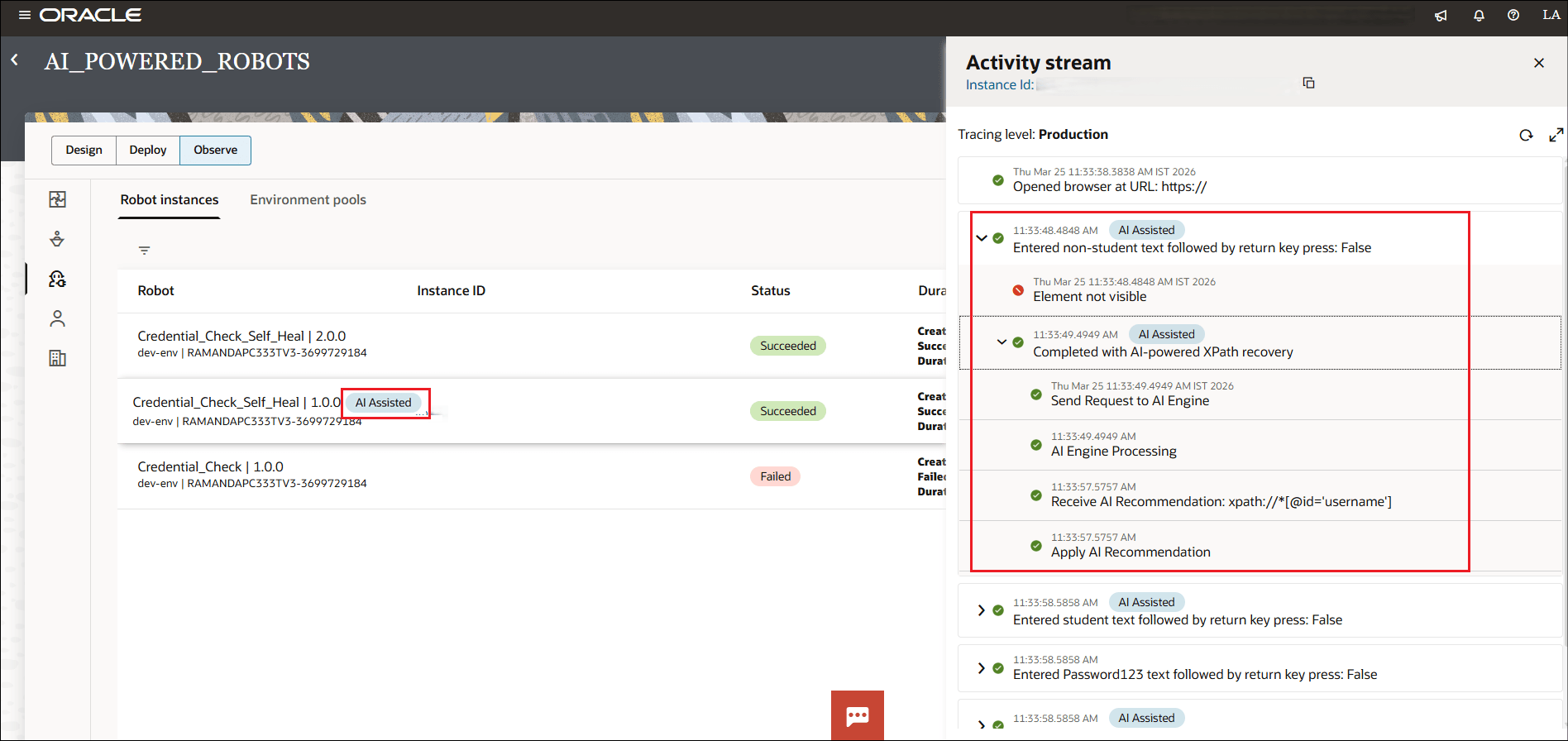
The following image shows how the AI recommendations applied in the previous interaction as shown in the image above have been stored and the AI recommendations are retrieved and applied when the error is encountered the next time.