Convert a PGQL Property Graph to SQL Property Graph
Graph Studio allows you to convert an existing PGQL property graph to SQL property graph.
Before you begin the migration operation, note the following:
-
SQL property graphs are supported only on Oracle AI Database 26ai. Therefore, ensure that you are using an Autonomous AI Database instance with Oracle AI Database 26ai.
-
PGQL property graphs based on database views cannot be migrated. If you attempt to migrate a PGQL graph based on views, then an error message is displayed and the original PGQL property graph is preserved.
-
The migration operation does not delete the original PGQL property graph.
-
The following describes a few basic characteristics of the newly created SQL property graph:
-
The SQL graph will have the original name of the PGQL property graph and the original graph will be renamed by appending
_PGQLat the end of the name. -
The SQL graph will consist of the same vertex and edge tables as the original PGQL property graph.
-
The SQL graph will be owned by the user who triggered the migration operation, regardless of the owner of the PGQL property graph.
-
-
Navigate to the Graphs page using the Graphs menu link.
-
Click the Property Graph tab.
-
Select PGQL Property Graph from the drop-down shown highlighted in the following figure.
The list of PGQL property graphs to which you have access are displayed.
-
Select the graph that you wish to migrate and click open the actions menu as shown:
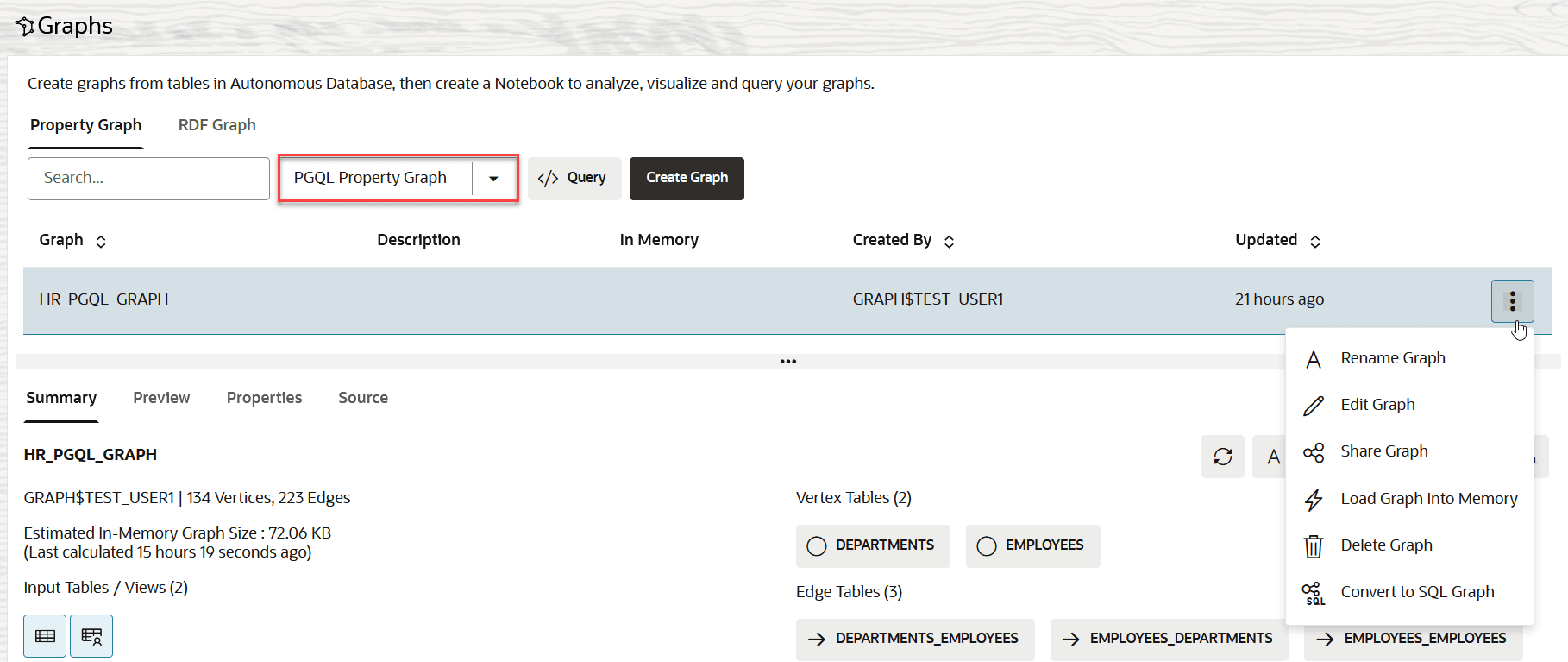
Description of the illustration convert_sql_graph.png
If you are using Table view, then the actions menu is located at the end of the table row.
-
Click Convert to SQL Graph in the context menu.
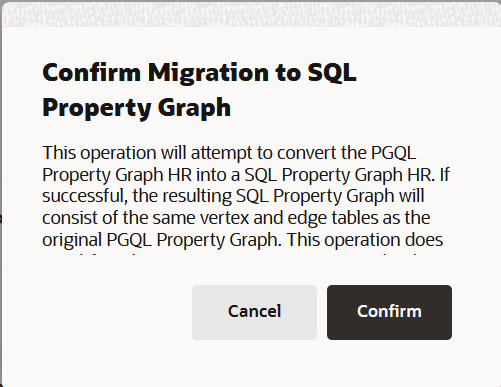
The Confirm Migration to SQL Property Graph window opens as shown:
-
Click Confirm.
If the migration operation is successful, then both the newly created SQL property graph and the renamed original PGQL property graph are displayed on the Graphs page. Otherwise, only the PGQL property graph in its original state is displayed.