Legend
Configure legend entries, visibility, and display width for the graph visualization.
The Legend panel appears as shown:
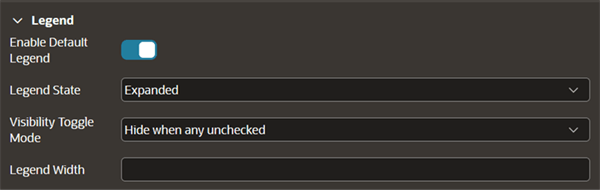
Description of the illustration apex_legend_panel.png
Table: Legend Attributes
| Attribute | Description |
|---|---|
| Enable Default Legend | Determines whether legend entries are automatically generated from graph data. It is enabled by default. If you wish to generate the legend entries based only on Rule-Based Styles, then you can disable this toggle. If the default legend is disabled and RuleBasedStyles is not configured, the graph does not show any colors. |
| Legend State | Specifies whether the legend region is in expanded or collapsed state when the graph loads in the graph visualization panel. Supported options are:
|
| Visibility Toggle Mode | Specifies how the visibility of graph vertices and edges are determined when the visibility checkbox of a legend is toggled. Supported options are:
|
| Legend Width | An integer value that specifies the width of the legend region. |