The Catalog Tool
The Catalog Tool allows you to browse, search and discover data in, and connected to, the Oracle Autonomous Database.
The Autonomous Database Catalog is a multi-catalog tool that provides a way to search for data and other objects in your currently connected Autonomous Database, and also in a wide range of other connected systems.
The Catalog tool enables you to search, find, load, or link connected data assets from anywhere in the cloud and beyond. It also enables you to mount new catalogs over other systems and search for data and other items in the connected Autonomous Database.
The Catalog tool can be used to mount new catalogs over:
-
Other Autonomous Databases in your tenancy.
-
Any other database that can be connected using a DB Link, for example an on-premises database that your Autonomous Database can connect to.
-
Shared data, for example data shared from DataBricks using Delta Sharing.
-
Existing external data catalogs such as AWS Glue, or the OCI Data Catalog.
To reach the Catalog tool, select the Catalog menu in the Data Studio tab of the Launchpad.
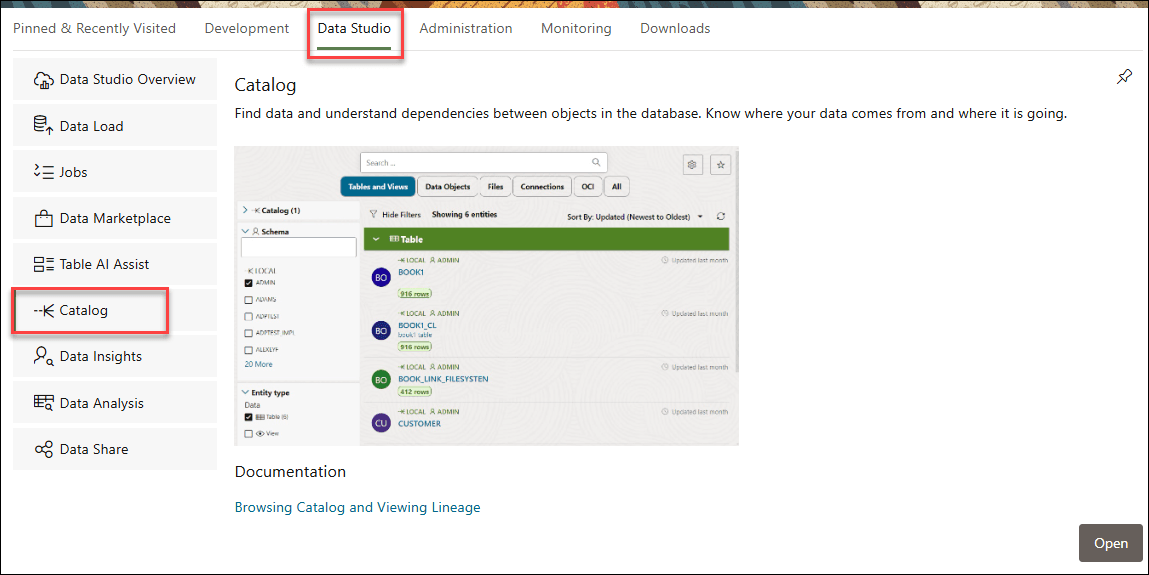
Description of the illustration catalog.png
or click the Selector  icon and select Catalog from the Data Studio menu in the navigation pane.
Note:
If you do not see the Catalog card then your database user is missing the required DWROLE role.
Run the following command to grant DWROLE to the user:
GRANT DWROLE TO ANALYST;