Configure the Custom Agent (Administrator)
Configure a custom in-database agent in Google Gemini Enterprise application.
-
Sign in to your Google Cloud account and navigate to your Gemini Enterprise application.
-
In the left-hand menu, click Agents.
-
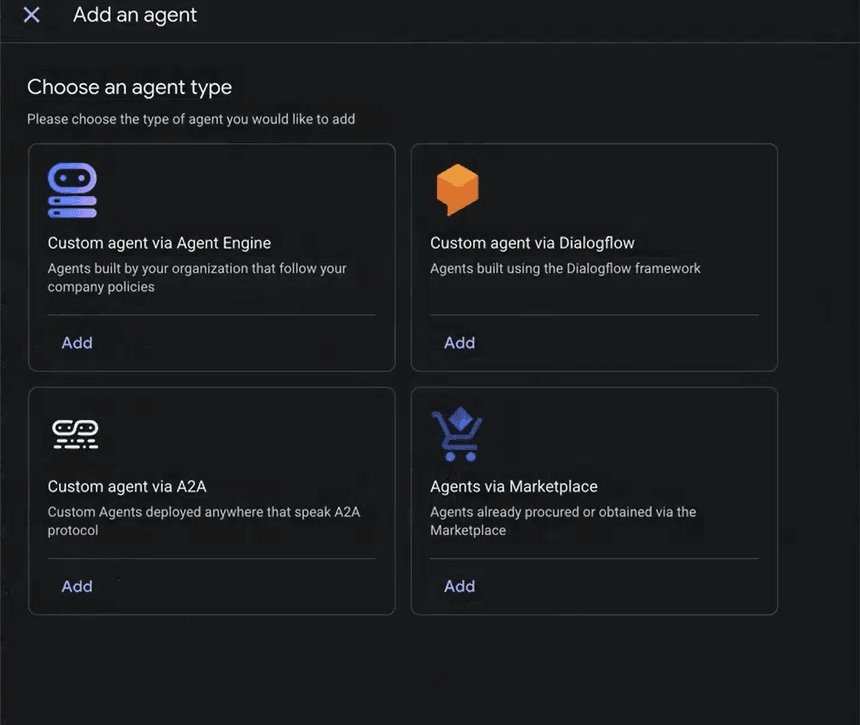
Click Add agent.
-
Click Add in Custom agent via A2A.
-
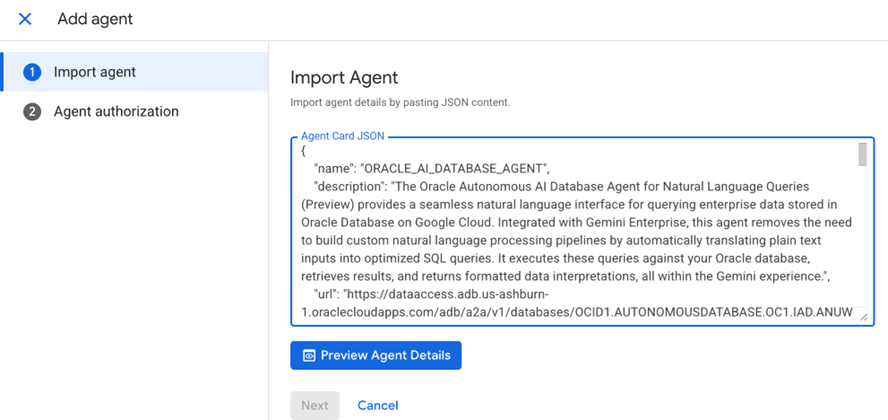
Under Import agent, paste the agent card JSON.
-
Click Preview Agent Details to review the agent details.
-
Click Next.
-
Enter the
client_IDandclient_secretgenerated earlier. See Register an OAuth Client (OAuth) to obtainclient_idandclient_secret.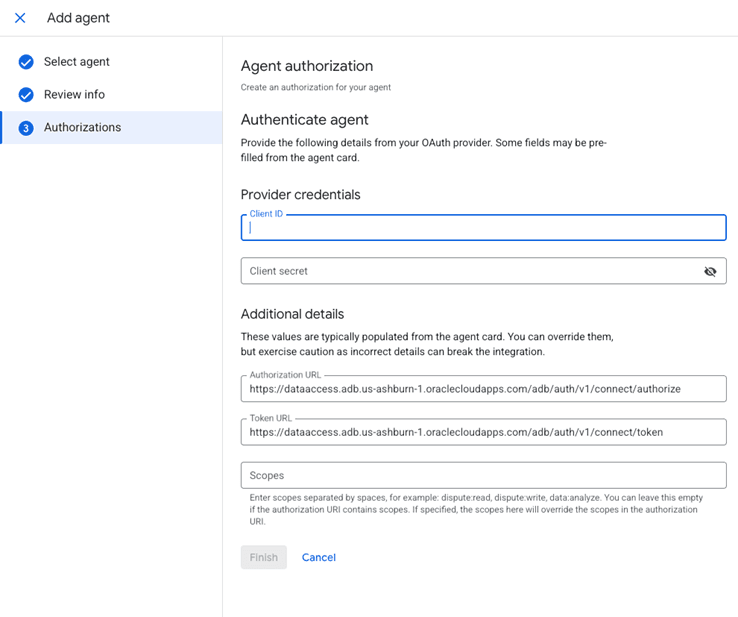
-
Click Finish to add the agent.
-
Click to open the your custom agent from the agents list.
-
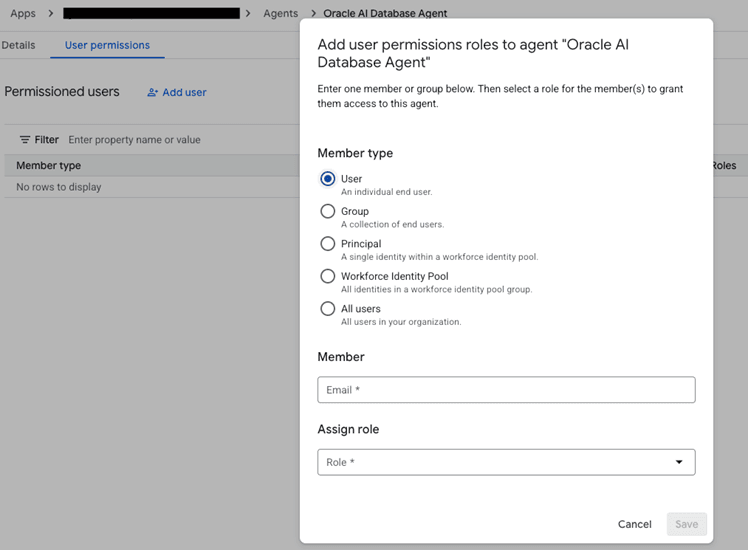
Click Add User from the User Permissions tab and grant the required user permissions by providing the mandatory fields.
-
Click Save.