Add a Custom Basemap
The following steps enable you to add a custom basemap.
-
Navigate to the Console page.
-
Click Basemaps under Settings.
The Basemaps window listing all the available basemaps opens.
-
Click Add Basemap and click on one of the following basemap types:
- XYZ Raster tiles
- OGC WMS
- Vector tiles
-
Enter Name and URL for the selected basemap type.
-
Optionally enter Attribution and API Key.
Tip: Once you have entered all the required fields, you can preview the basemap by clicking Quick View.
-
Click Save to add the base map.
For example, the following figure show the OGC WMS basemap configuration window:
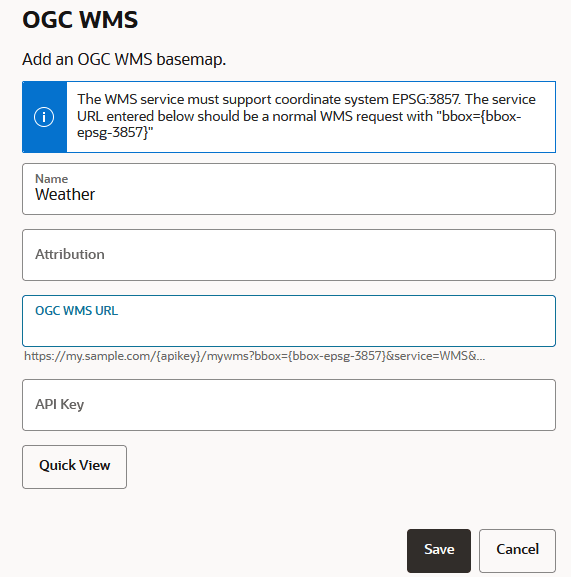
Description of the illustration wms_ogc.png
Note: It is important to add the domain name to Safe Domains in order to enable the Spatial Studio application to access the required service for the basemap.