Add a Pin on a Map
The following steps enable you to inspect the current mouse pointer’s latitude and longitude coordinates and pin a location on the map layer.
The instructions assume that you have a project opened on your Active Project page and the map layer is displayed for visualization.
-
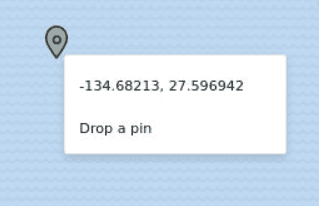
Right-click on any area on the map layer.
The coordinates for the location gets displayed as shown:
-
Click Drop a pin to add a location marker.
The pin gets displayed on the map. Additionally, you can also copy the coordinates by clicking on the marker and then clicking the Longitude, Latitude: click to copy icon.