Configure Custom Branding
As a Spatial Studio administrator, you can use the Brand Manager feature in Spatial Studio to upload your brand logo and change the application title as desired.
The following steps enable you to configure custom branding.
-
Navigate to the Console page.
-
Click General under Settings.
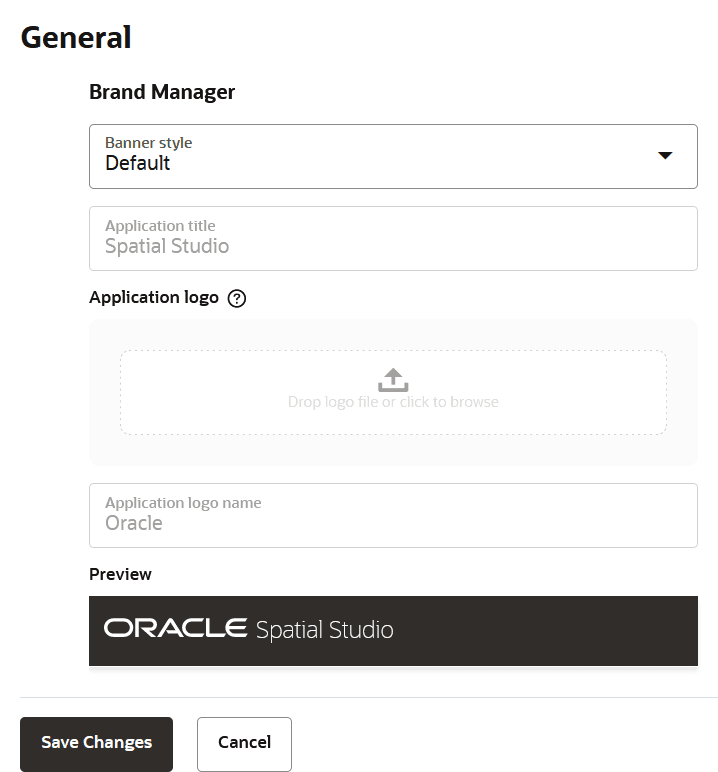
The Brand Manager slider opens as shown.
-
Select Custom from the Banner style drop-down list.
The following two banner styles are supported:
- Default: This is the default configuration which uses Oracle branding.
- Custom: Custom configuration allows you to apply your organization’s branding.
-
Change the Application title as desired.
The default value is Spatial Studio.
-
Upload your own Application logo.
-
Enter your Application logo name.
-
Preview your changes and click Save Changes.
Note that you need to refresh your page to see the custom brand changes.