Load AI Labels
You can load existing labels into your AI Labeling project.
You can upload individual files or a ZIP file. Individual files are usually recommended because they show more precise errors, for example, when only a few label files have formatting issues or need correction. When uploading a zip file, ensure that all the individual files are placed in the root folder, without subfolders.
The following file formats are supported for the labeling types (both uppercase and lowercase extensions are accepted):
-
Object detection: JSON (
.json), GeoJSON (.geojson), Shapefile (.shp/.shx/.dbf/.prj), Pascal VOC (.xml), and YOLO (.txt) -
Instance segmentation: JSON, GeoJSON, and Shapefile
-
Semantic segmentation:
.png,.tiff,.geotiff,.gif,.bmp,.jpg, and.jpeg
It is important to note that the labels are matched to chips by name (for example, chip_0123.* → chip_0123). Use a single label source per chip. For mask files, image dimensions must match the target chip.
Perform the following steps to load labels into an AI Labeling project.
-
Navigate to the AI Labeling page.
-
Click
 against the desired project and select Load labels.
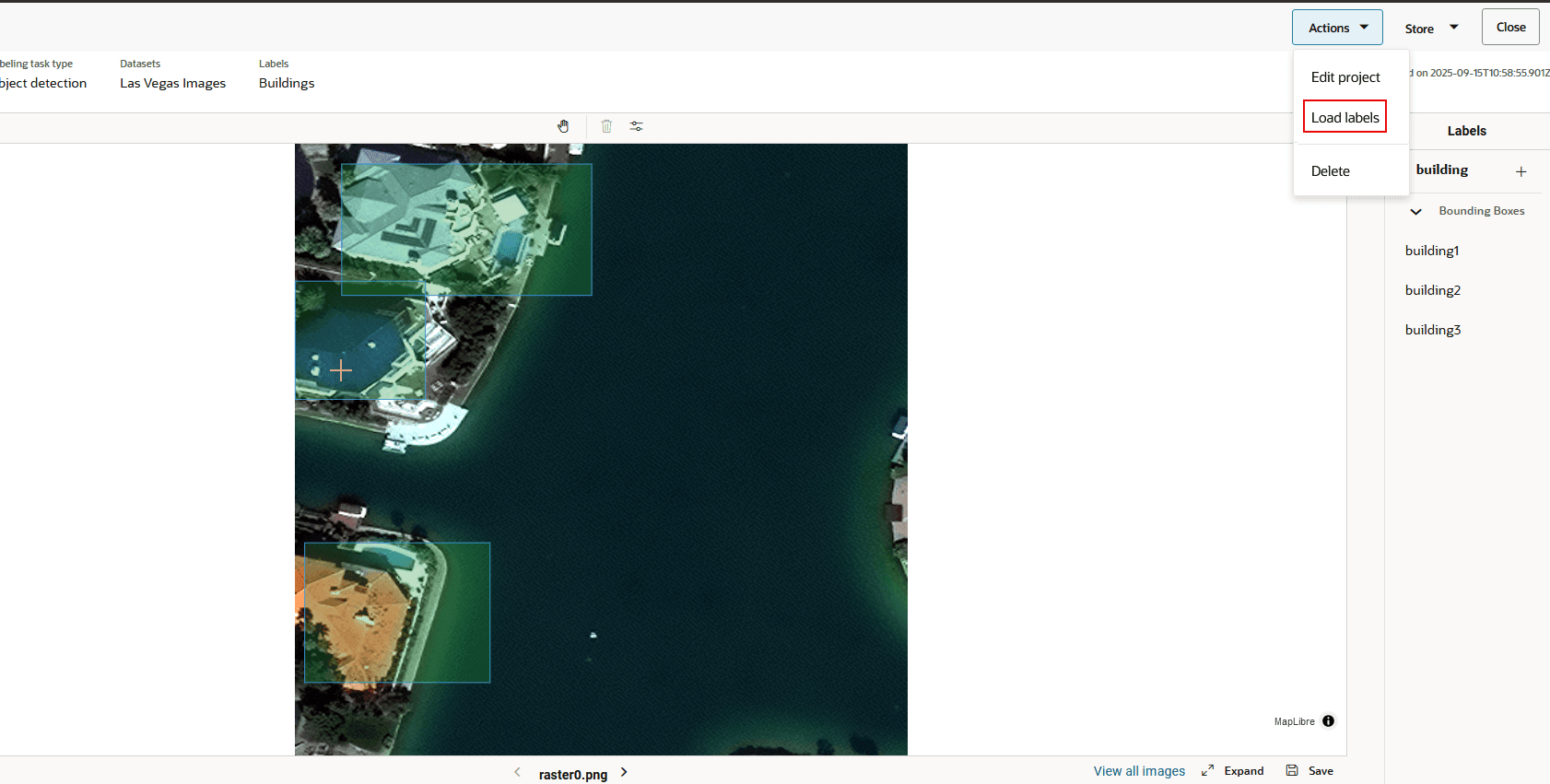
Alternatively, click open the project and select Load Labels from the Action menu.
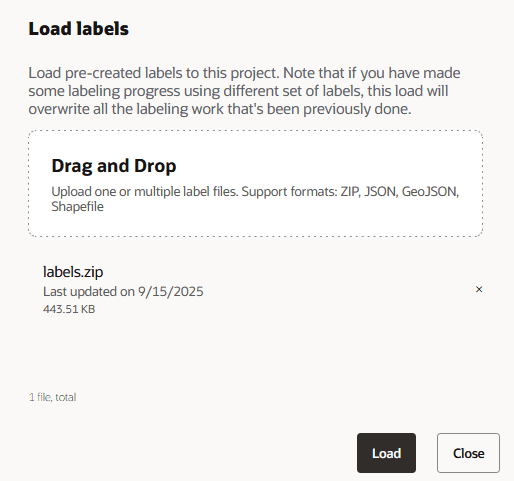
The Load labels window opens as shown:
-
Click to upload the file (or through dragging and dropping the file) from your local system.
-
Click Load.
-
Click Close.
Labeling is applied to all the chips that are impacted by the loaded label. The following figure shows an example of a chip labeling through a loaded label. The chip belongs to an AI Labeling project of type object detection.