Manage System Notifications
As the Spatial Studio administrator, you can create, edit, or delete system notifications.
Spatial Studio supports two types of notifications:
- Banner: These notifications are typically used to display informative message such as planned downtime, scheduled updates, and so on. Banner type notifications are displayed across the top of the web application page, just above the built-in Spatial Studio application banner.
- Show Stopper: These are messages that will be displayed when the Spatial Studio server is not servicing any requests such as when being investigated for emergency issues or breaches.
You can manage the system notifications as shown in the following steps:
-
Navigate to the Console page.
-
Click Notifications under Maintenance.
The Notifications window listing all the configured notifications opens.
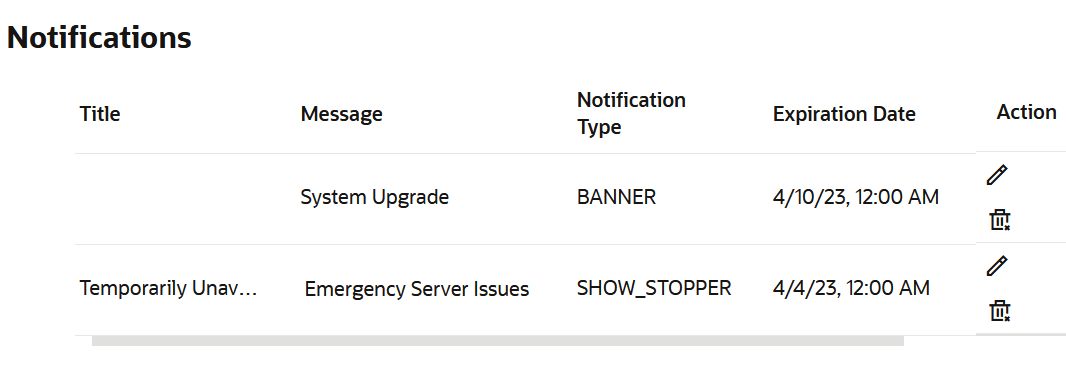
-
Perform any one of the following required actions.
-
Create a New Notification
- Click Create.
- Select the Notification Type.
- Enter Severity, Expiration Date (in UTC), and Message for banner notifications.
- Enter Title, Expiration Date (in UTC), and Message for show stopper notifications.
- Click OK.
The new notification appears in the Notifications dialog.
-
Edit a Notification
Click
 against a notification to edit the message details.
 -
Delete a Notification
Click
 against a notification to delete the notification.
-