Overview of Projects Page
The layout of the project page is as shown:
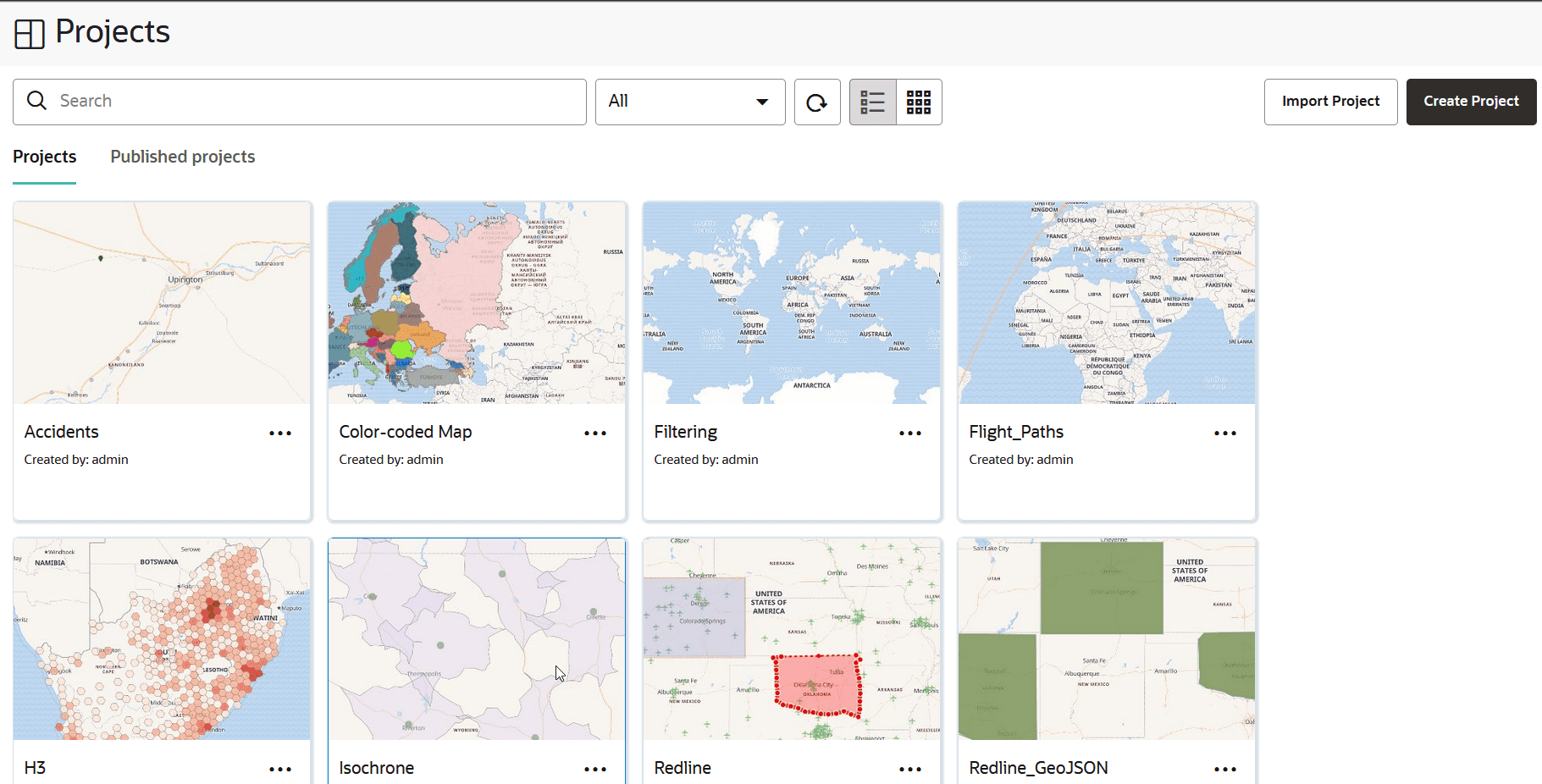
Description of the illustration project_page.png
The Projects page comprises two tabs:
-
Projects: Displays the list of projects created in Spatial Studio.
-
Published projects: Displays the list of published projects.
You can perform the following actions on the Projects page:
-
You can select and view a project or published project in the respective tabs.
-
You can create a new project by clicking Create Project.
-
You can import a project by clicking Import and selecting a project zip file in the Import Project dialog.
-
You can alter the display settings to have the projects listed as cards or in a tabular format in the respective tabs.
-
You can search for both unpublished and published projects and view the search results in the respective tabs.
-
You can filter to view projects that are either created by you, or shared with you, or both in the respective tabs.
-
You can open, export or delete a project in the Projects tab by clicking the
 icon for any of the listed projects. For the first two actions, the project will be opened in the Active Project page.
 -
See About Published Projects for the actions supported on published projects.