Prepare an H3 Aggregation Dataset
You can prepare an H3 aggregation dataset by performing the following steps.
The instructions assume that a dataset containing geometric data columns is already loaded to Spatial Studio.
-
Navigate to the Datasets page.
All the datasets loaded to Spatial Studio are shown listed on this page.
-
Select the required dataset name and right-click to open the context menu.
-
Click Create H3 Index on the Prepare submenu.
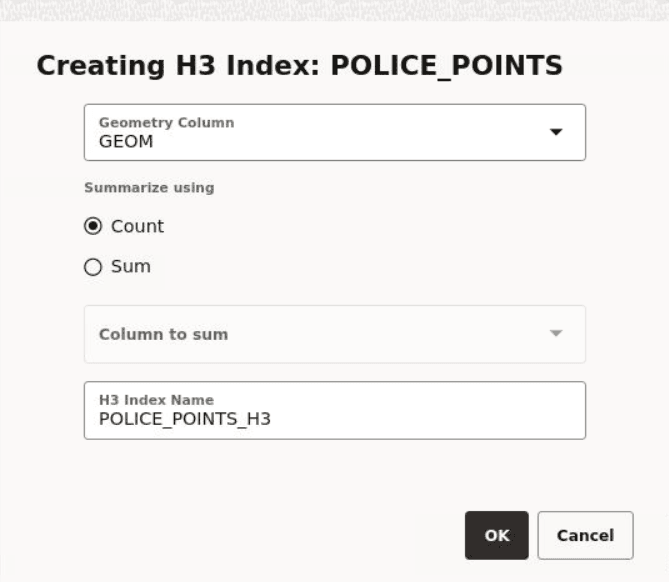
The Creating H3 Index dialog opens as shown:
-
Select the Geometry Column for H3 aggregations.
-
Click a Summarize using option.
The values for summarizing are:
-
Count: buckets the number of datapoints in each hexagon
-
Sum: adds up the values for a specific column in the data set, for all the points that fall in a specific hexagon
-
-
Select the Column to sum, if you have chosen Sum to summarize your dataset. Otherwise, you can skip this step.
-
Optionally, modify the H3 Index Name.
-
Click OK.
An H3 aggregation dataset is created and added as a new row in the Datasets page.