Set Selection Tolerance on a Map Layer
Spatial Studio allows you to increase or decrease the selection tolerance on a map layer, so that selecting small and linear geometry features is easier.
The following steps enable you to adjust and set the selection tolerance on a map.
The instructions assume that a project is open on the Active Project page.
-
Click
 against the dataset in the Data tab of the Layers list.
 -
Select Settings in the context menu and configure Interaction.
-
Switch on the Allow selection toggle button.
-
Adjust the Selection tolerance slider as required.
The following figure shows the Selection section for setting the tolerance:
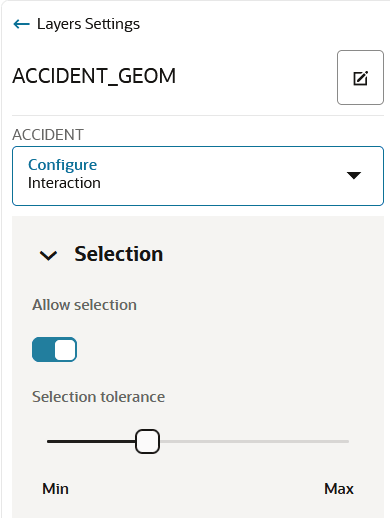
The custom selection tolerance gets applied to the map layer.