Store AI Labels
Spatial Studio allows you to store the entire AI project or only the current chip.
The files can be stored in the database, Oracle Cloud Infrastructure (OCI) Object Storage, or the local system. They can be further used to continue the workflow in Spatial AI or used externally.
The stored file contains the following:
-
Labels in the selected format(s).
The following file formats are supported for the labeling types (both uppercase and lowercase extensions are accepted).
-
Object detection: JSON (
.json), GeoJSON (.geojson), Shapefile (.shp/.shx/.dbf/.prj), Pascal VOC (.xml), COCO, KITTI, and YOLO (.txt) -
Instance segmentation: JSON and COCO
-
Semantic segmentation:
.png,.tiff,.geotiff,.gif, and.bmp
-
-
Geospatial raster chips for the stored scope:
-
Database: Chips are stored as GeoRaster. If the project produces mask labels (semantic segmentation), those masks are also stored as GeoRaster.
-
Object Store and Local file: Chips are stored as-is. If a chip used a world file for georeferencing, it is stored as a GeoTIFF with embedded georeferencing.
-
Also, note the following:
-
Chips that are logically deleted are excluded.
-
Chips without labels are excluded unless explicitly saved with an empty label.
Perform the following steps to store an entire project or a chip only from an AI Labeling project.
-
Navigate to the AI Labeling page.
-
Click
 against the desired project and select Store Project to store all the labeled project chips.
Alternatively, click open the project and choose Store project or Store current labeled chip as desired from the Store menu (at the top of the page).
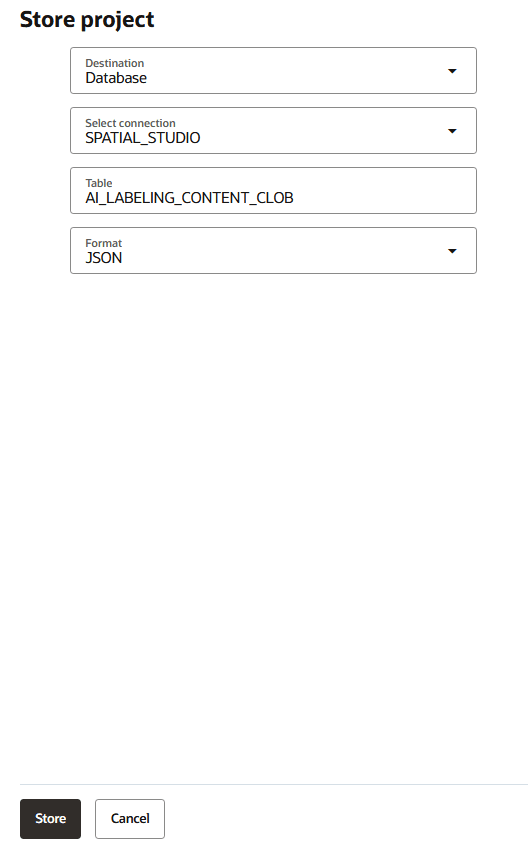
Depending on your choice, the Store project or Store current labeled chip window opens. For example:
-
Select the storage Destination.
-
Perform the following related steps depending on your choice in the preceding step.
- Database:
-
Select the required Connection.
-
Enter the Table name.
-
Select the export Format.
-
-
Local file: Select the storage Format.
- Object store (OCI Object Storage):
-
Enter the PAR URL.
To store in OCI Object Storage you require a Pre-Authenticated Request (PAR) URL created with access type Permit object reads and writes to those with the specified prefix.
-
Enter the Prefix for the objects.
-
Select the storage Format.
-
- Database:
-
Click Store.
The files is stored in the target destination.