
 Create an On-Demand Backup in Database Cloud Service
 Before You Begin
This tutorial shows you how to create an on-demand backup in Oracle Database Cloud Service. This tutorial takes approximately 10 minutes to complete.
Background
By backing up your Database Cloud Service database deployment, you can protect the deployments' software, configuration and database against loss if a failure occurs. By restoring a deployment from a backup, you can restore the deployment's software, configuration, and database to their state at the time of the backup.
Database Cloud Service provides a backup feature that backs up the database, database configuration files, and important system files. To provide this backup feature, Database Cloud Service relies on system utilities and on Oracle Database Backup Service, which is installed on the instance's compute node.
What Do You Need?
- You need a database deployment that is configured for backups to Cloud Storage.
 Access
the Oracle Database Cloud Service Console
Access
the Oracle Database Cloud Service Console
- Sign in to Oracle Cloud.
- Click Database.
- On the Service Details:Oracle Database Cloud Service page,
click Open Service Console.
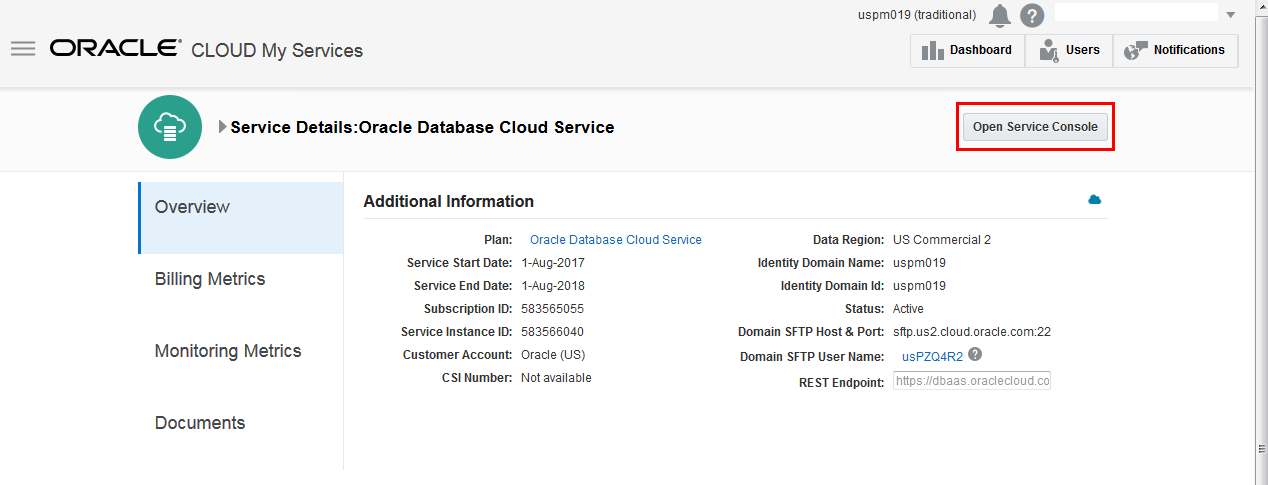
Description of the illustration ServiceDetails_DBCS.png
 Create
an On-Demand Backup
Create
an On-Demand Backup
- Click the database deployment link for which you want to
create a backup.
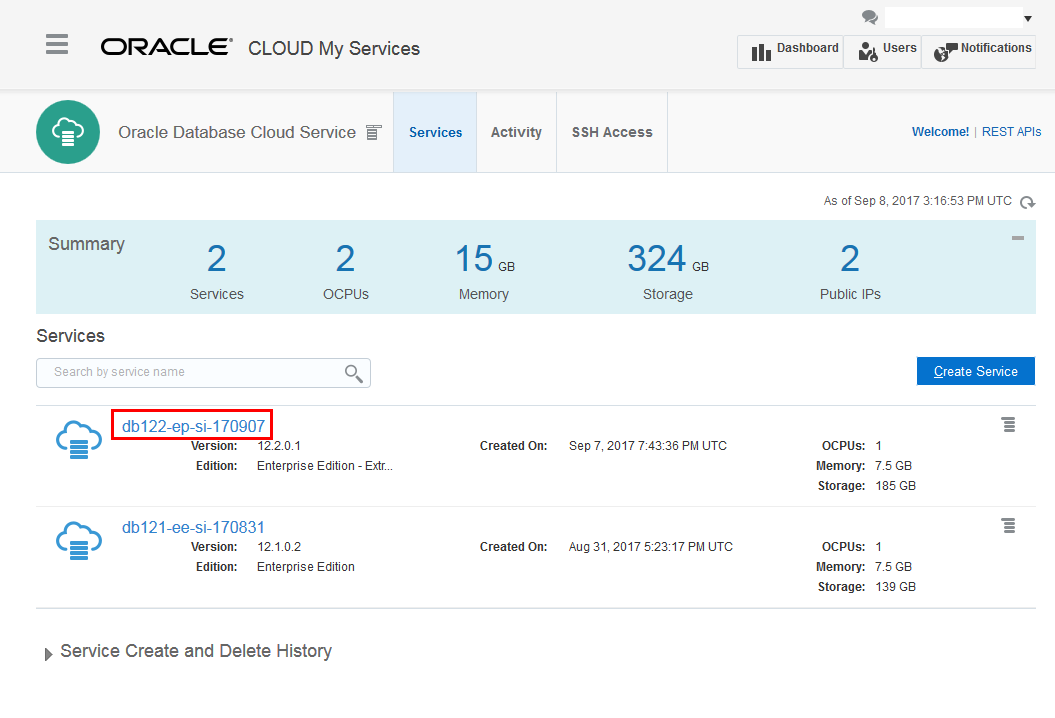
Description of the illustration DBCS_Services.png - The Oracle Database Cloud Service Overview page is
displayed. Click the Administration tile.
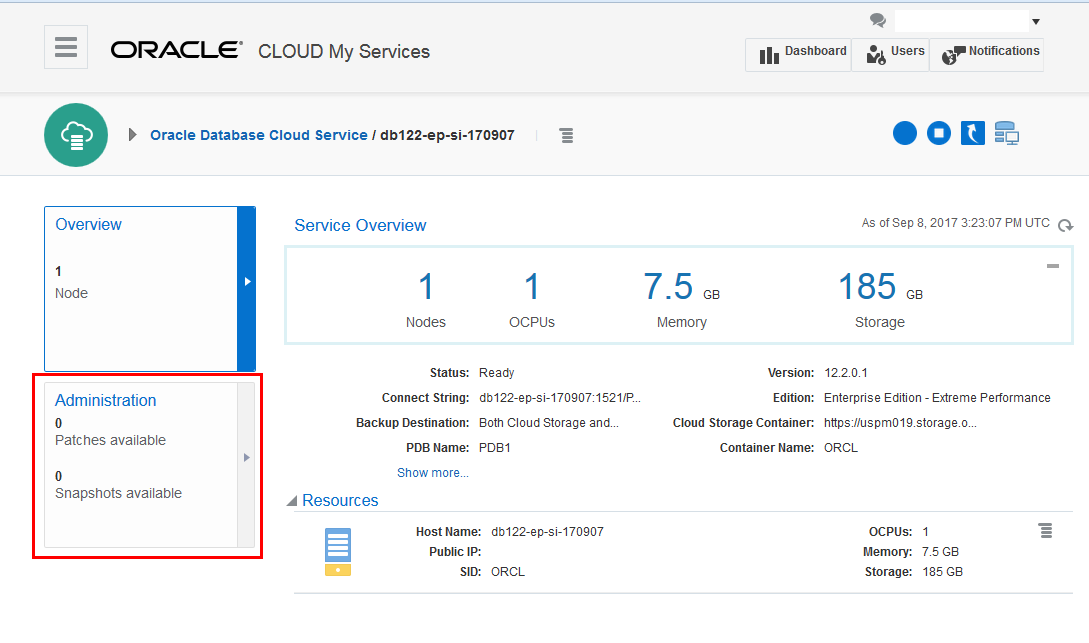
Description of the illustration Service_Overview.png - The Oracle Database Cloud Service Backup page is displayed.
Click Backup Now.
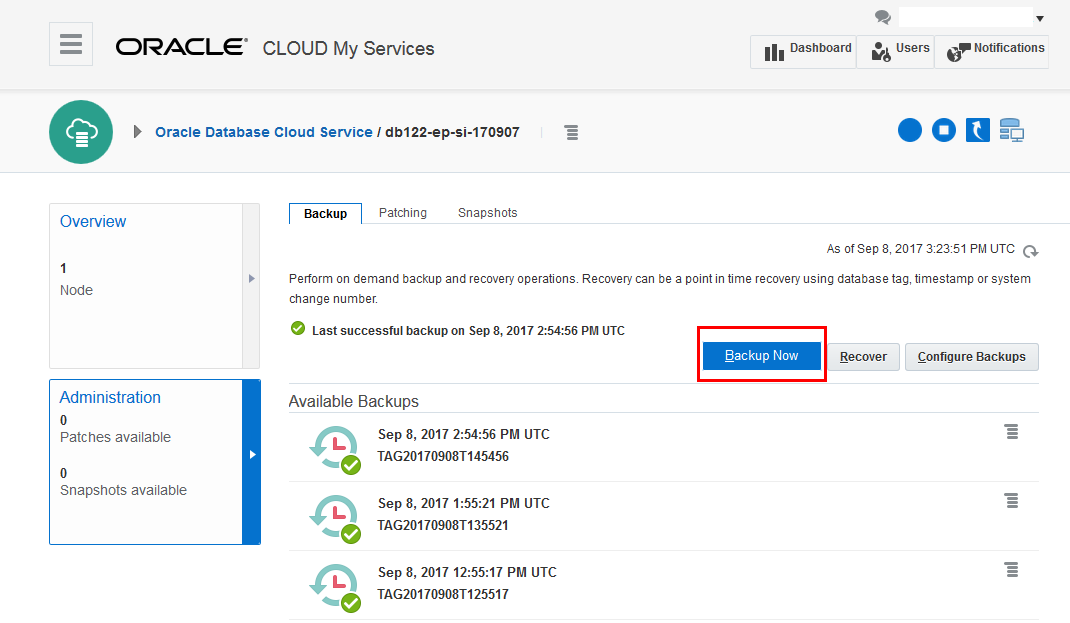
Description of the illustration Admin_Backup.png - Click Backup in the Backup Now window to confirm that you want to create an on-demand backup at this time.
- A confirmation message is displayed and the in-progress
backup is shown in the Available Backups list. Notice that
there is no tag associated with the backup at this point.
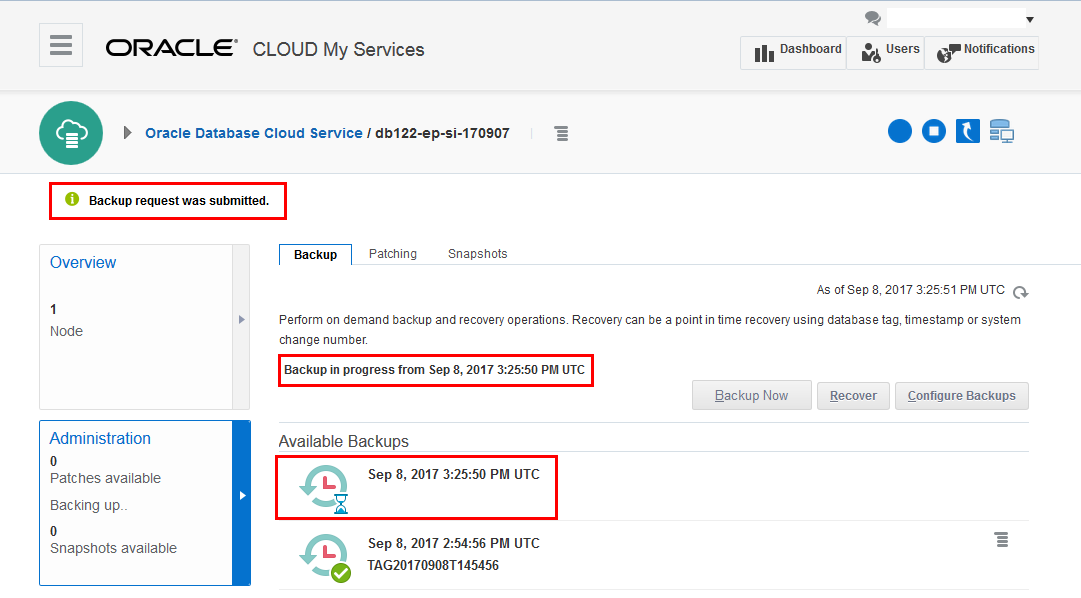
Description of the illustration Backup_in_Progress.png - You can refresh the page until you see that the backup has
completed. Note that there is now a tag listed with the
backup.
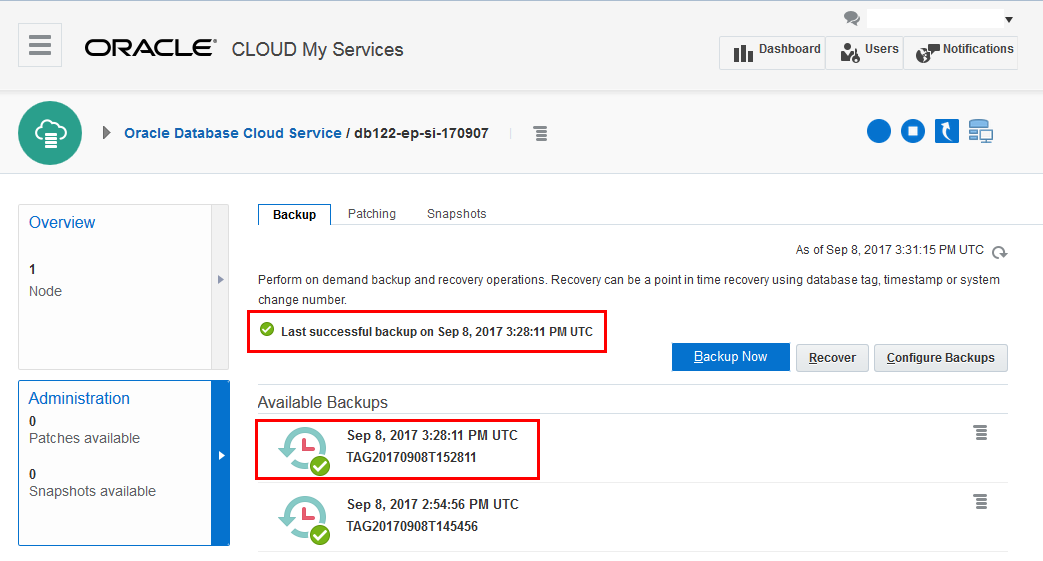
Description of the illustration Backup_Complete.png
 Want
to Learn More?
Want
to Learn More?