Manage Data in Table Layouts
In Microsoft Excel, select the Oracle Visual Builder tab to perform operations and work with data in a workbook.
When you open an integrated workbook for the first time, you may be prompted to redraw all layouts if the workbook was published in a different language. If you choose to redraw the workbook, any data and changes to the layouts are discarded. To keep these changes, skip the redraw. You can always manually redraw your workbook later using either the Clear or Download Data commands from the Oracle Visual Builder tab.
Note: Clearing all layouts when the language changes is recommended since some data, such as lists of values, may be language sensitive. Downloading in one language and uploading in a different language may not succeed.
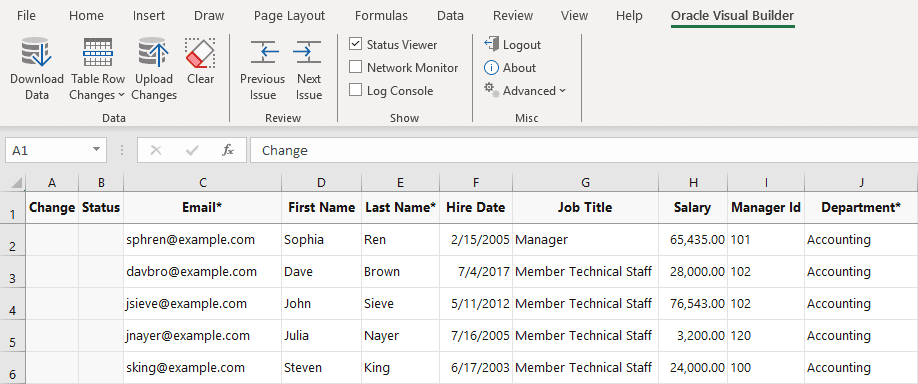
Description of the illustration excel-download.png
For any given layout, you can:
- View existing rows
- Edit existing rows
- Create new rows
- Delete existing rows
- Perform actions on existing rows, for example, an “Approve” or “Reject” action for an Invoice business object. These kinds of special actions can be performed on certain business objects depending on the context. For more information, see Perform Actions in a Layout.
Note: Capabilities described in this guide may not be available for all integrated workbooks. A workbook’s functionality depends on how it was configured and the capabilities that the web application provides.
If your operation requires access to the web application and the service host is missing, a Service Configuration window prompts you to enter the service host value. Ask your IT administrator for the correct value to provide here. Operations that require access to the web application include the Download Data and Upload Changes commands.
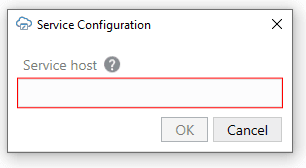
Description of the illustration excel-input-service-host.png
Note: You can also access the Service Configuration window using Edit Service Host from the Advanced drop-down list.