Add a Call Component Action
You add a Call Component action to an action chain to call a method on a component.
To add a Call Component action to an action chain:
-
Open the Actions editor for the page or application.
-
Create an action chain, or open an existing action chain to add the action in the editor.
-
Drag Call Component from the Actions palette into the action chain.
You can drag the action onto the Add icon (
 ) in the action chain, or between existing actions in the chain. The properties pane opens when you add the action to the chain.
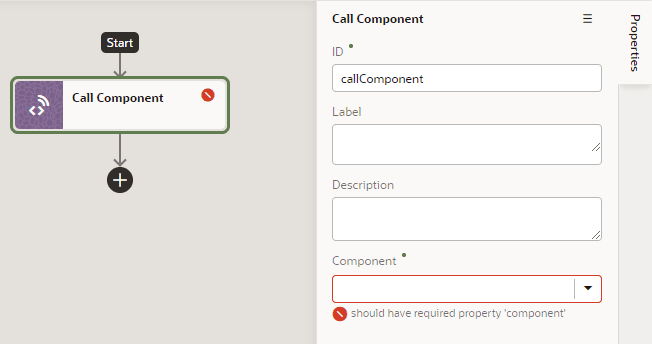
Description of the illustration action-chain-editor-callcomponentmethod.png
-
In the Properties pane, select the component name in the Component drop-down list.
For example, if your page contains three buttons whose IDs are
Create,Update, andSave, you’ll see those options available for selection in the drop-down list:
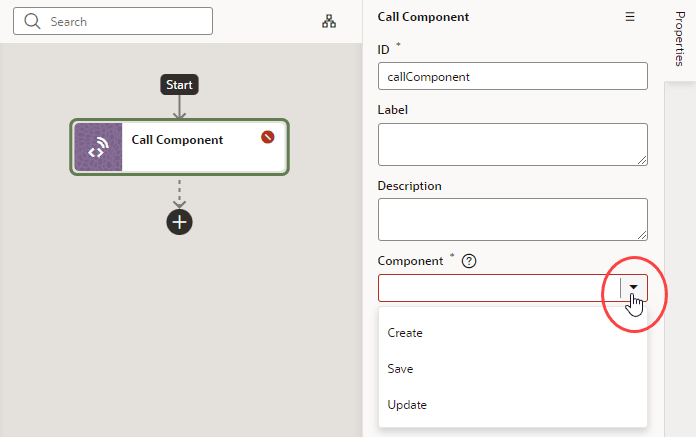
Description of the illustration action-chain-editor-callcomponentmethod-selectcomponent.png
-
With the component selected, select or enter the Method Name, then click Assign to map the parameters required by the method.
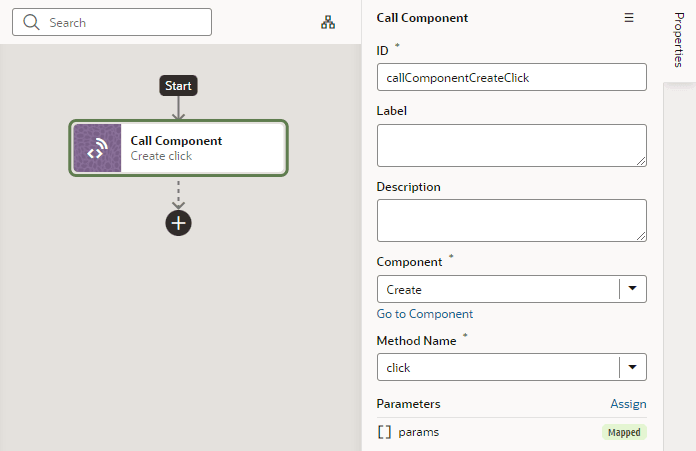
Description of the illustration action-chain-editor-callcomponentmethod2.png