Add a Call Function Action
You add a Call Function action to an action chain to call a function defined for the current page, current flow, or the application. You create and edit module functions in the JavaScript editor.
To add a Call Function action to an action chain:
-
Open the Actions editor for the page or application.
-
Create an action chain, or open an existing action chain to add the action in the editor.
-
Drag Call Function from the Actions palette into the action chain.
You can drag the action onto the Add icon (
 ) in the action chain, or between existing actions in the chain. The properties pane opens when you add the action to the chain.
-
In the Properties pane, select an existing function from the drop-down list of available functions, or click Create to create a new function.
You can select functions that are defined for the current page, the current flow, or for the application.
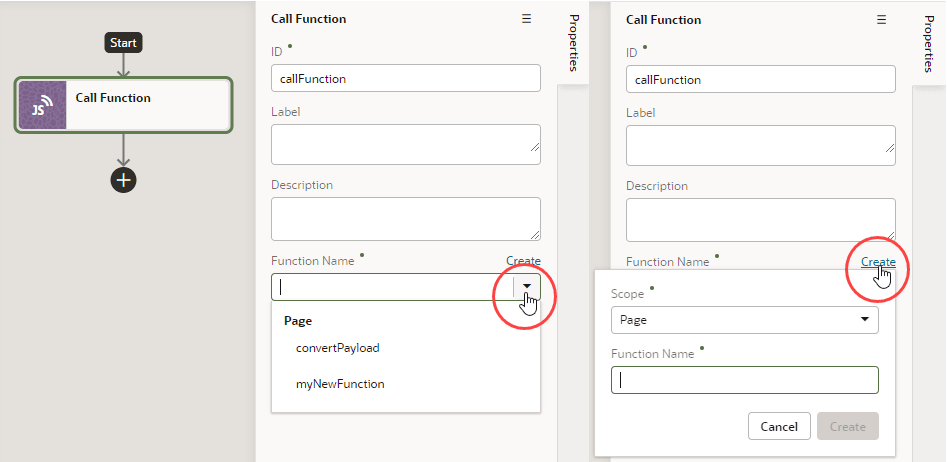
Description of the illustration action-chain-call-modulefunction.png
-
Click Go to Module Function to go to the JavaScript editor where you write or modify code for the function.
-
Specify any input parameters and return type for the function in the properties pane.
You can click Assign to map variables to the parameters. If a suitable variable does not exist, use the + icon beside the relevant node (Action Chain, Page, and so on) to create a new variable.