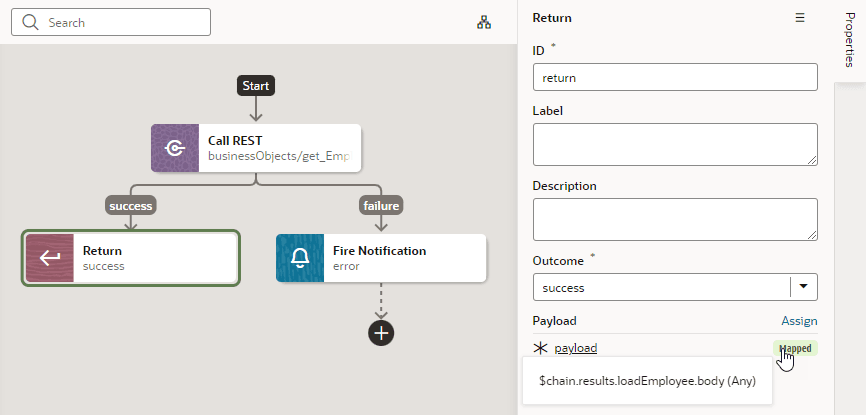
Add a Return Action
You add a Return action as the final action of a chain to control the outcome and payload of that chain. It’s particularly useful in a Call Action Chain action to control the payload resulting from calling that action chain.
To add a Return action to an action chain:
-
Open the Actions editor, for example, at the page level.
-
Create an action chain, or open an existing action chain to add the action in the editor.
-
Drag Return from the Logic section of the Actions palette into the action chain.
You can drag the action onto the Add icon (
 ) in the action chain, or between existing actions in the chain. The Properties pane opens when you add the action to the chain.
 -
Update the ID field in the Properties pane to make the action more easily identifiable.
-
In the Outcome property, select the outcome to return: success or failure.
-
Click Assign next to Payload to open the Assign Parameters window and map the payload to return from this action.
Here’s an example that uses the Return action on a chain that makes a REST call: