How Do I Find My Application’s Runtime Version?
You may need to locate your runtime version if you contact Oracle Support with an issue or if you’ve received a message that your app needs to be upgraded to a newer runtime version.
To find the application runtime:
-
Click Menu in the upper right corner and select Settings.
-
Locate the Visual Builder Runtime Version in the Runtime Dependency section:
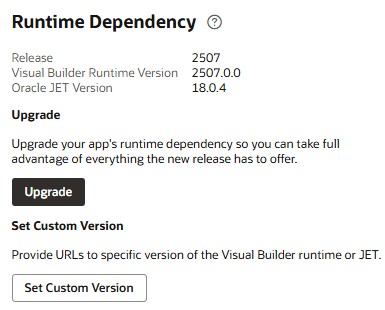
Description of the illustration runtime-version-vbstudio.png