Set an Initial Value for the Select (Single) Component
You can set an initial value for the Select (Single) component of a visual application using the Value Item attribute.
Note: The Select (Single) component from the Component palette is labeled Single Select in the Page Designer.
-
In the Page Designer, select the Single Select component.
-
Select the Data tab in the Properties pane.
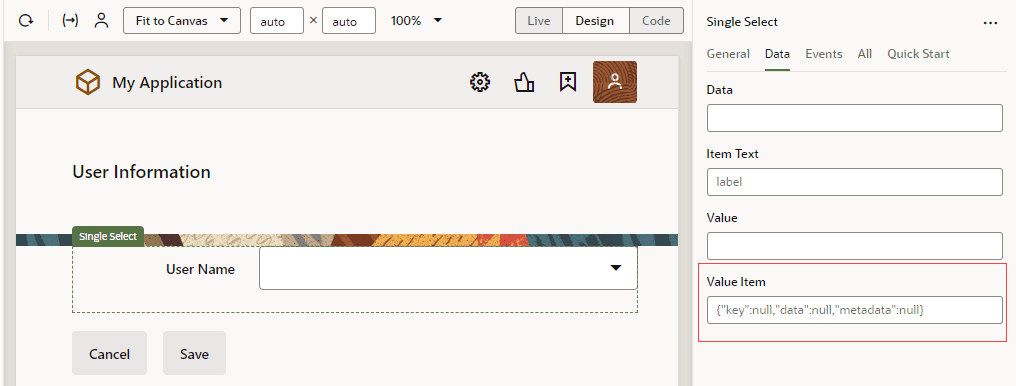
Description of the illustration select-single-value-item.png
-
Set the initial value for the Value Item attribute.
The default for this attribute is:
{ "key": null, "data": null, "metadata": null }You can assign set values to the attribute. For example:
{"key":2,"data":{"userName":"user002"},"metadata":null}You can also use variables to specify the attribute:
{{ {"key":$variables.initialID,"data":{"userName":$variables.initialuserName},"metadata":null} }}