Start an Action Chain By Firing a Custom Event
You can use the Fire Event action in an action chain to trigger a custom event, which in turn starts another action chain to display a notification, transform data, and so on. You can also trigger a custom event by using an event helper’s fireCustomEvent() method in a JavaScript module function.
See Add a Fire Event Action to learn how you can use the Fire Event action to trigger a custom event.
In this example, we’ll use a module function to subscribe to a table’s ojRowAction event to trigger a custom event that starts an action chain. The action chain then saves the selected row’s data to a page variable.
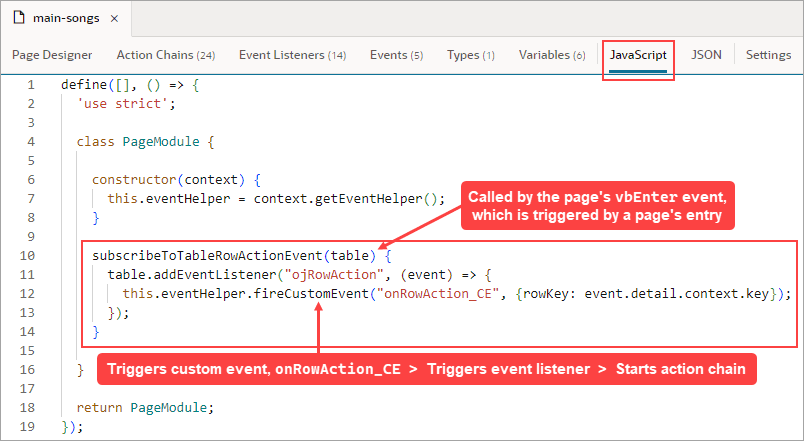
(For more information about the module function event helper, see Module Function Event Helper.)
-
Create a page variable of type Object to hold the selected row’s data:
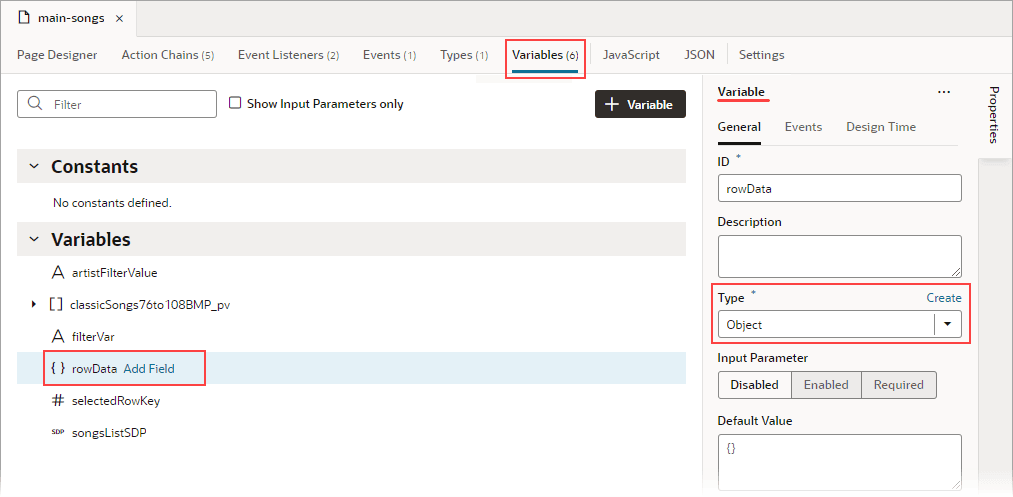
Description of the illustration jsac-create-rowdata-variable1.png
-
Create a JavaScript function (module function) to subscribe to the table’s
ojRowActionevent, which is triggered when a user clicks a table’s row. You’ll use thisojRowActionevent to trigger your custom event, which will start the action chain that saves the row’s data to therowDatapage variable.To create the function, select the JavaScript tab. Use the context’s
eventHelperobject’sfireCustomEvent()method to trigger your custom event and to pass the required payload. Theeventparameter contains the row’s data (event.detail.context.data).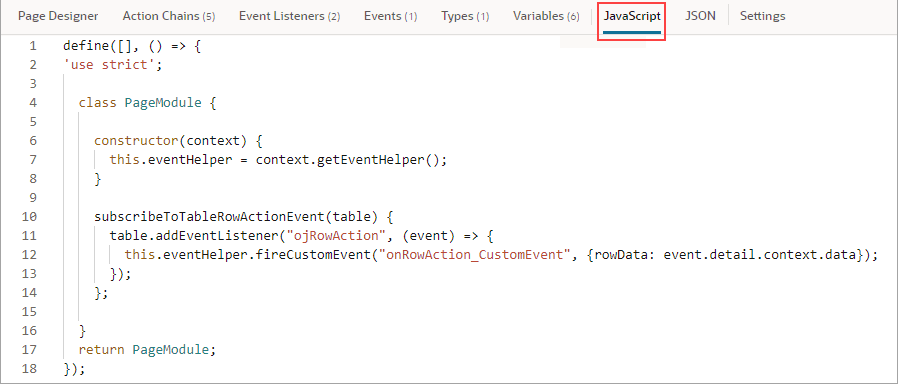
Description of the illustration jsac-js-function-subscribe-table-event.png
Here’s the example code:
constructor(context) { this.eventHelper = context.getEventHelper(); } subscribeToTableRowActionEvent(table) { table.addEventListener("ojRowAction", (event) => { this.eventHelper.fireCustomEvent("onRowAction_CustomEvent", {rowData: event.detail.context.data}); }); }; -
Create the event listener for the page’s
vbEnterevent, which is triggered when the page starts. You’ll use this event listener to start an action chain that calls the function to subscribe to the table’sojRowActionevent.-
Select the page’s Event Listeners tab, then click + Event Listener.
-
In the Select Event step, select
vbEnterunder Lifecycle Events and click Next.
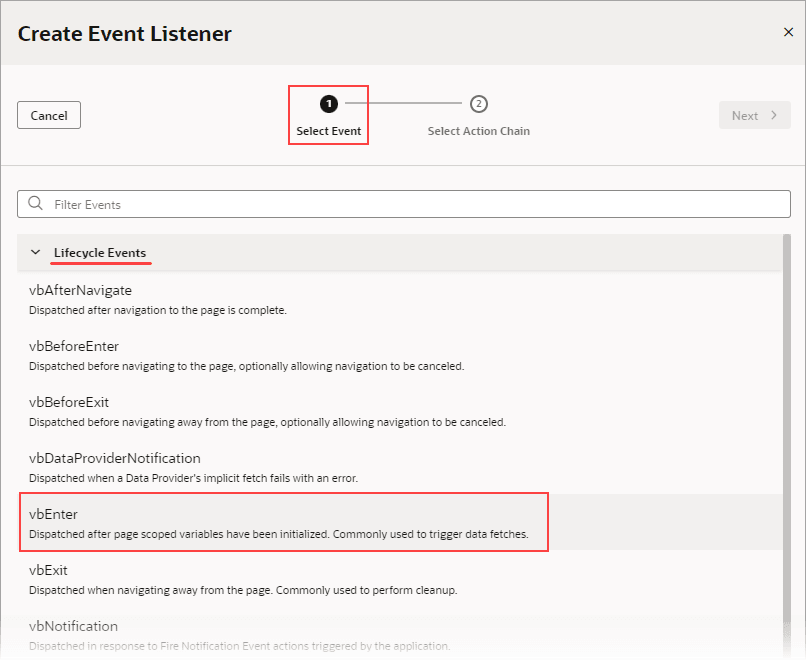
Description of the illustration jsac-create-event-listener-vbenter.png
-
In the Select Action Chain step, click the Add icon next to Page Action Chains.
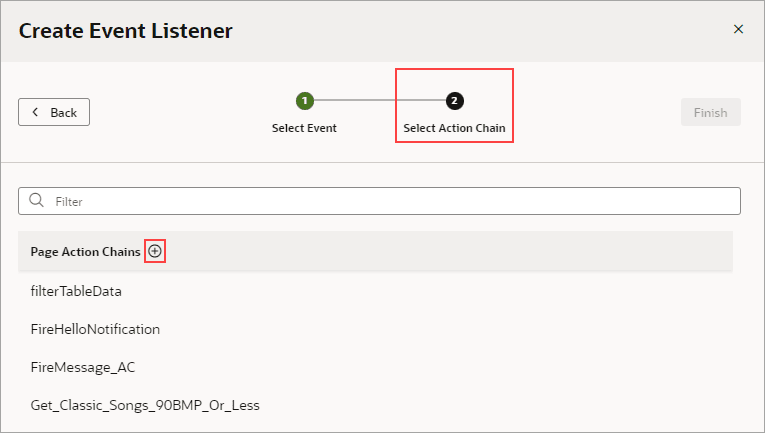
Description of the illustration jsac-create-event-listener-create-action-chain1.png
If the custom event for this listener has input parameters (which this one doesn’t), the action chain would be created with an
eventinput parameter that contains the custom event’s input parameters.
-
-
Create the action chain to call the function that subscribes to the table’s
ojRowActionevent. Add the Call Function action to the canvas. Set itsFunction Nameproperty to the JavaScript function, and pass the table to the function using thetableparameter:
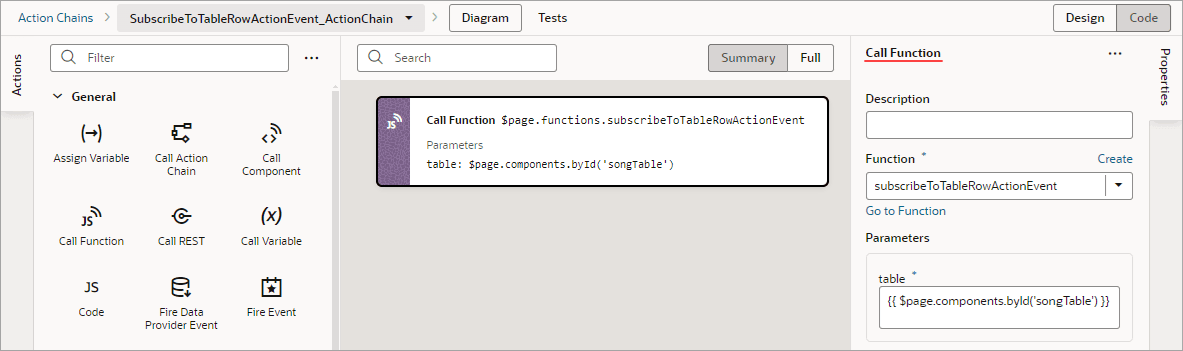
Description of the illustration jsac-call-subscribe-function-action-chain.png
-
Now create the custom event that will be triggered by the table’s
ojRowActionevent. You’ll also create the action chain that assigns the row’s data to therowDatapage variable.-
On the page’s Events tab, click + Custom Event to create a custom event. In the Properties pane, click the Payload property’s Add Parameter link and define an input parameter of type Object. This input parameter will be used to pass the row’s data to the action chain that assigns the data to the
rowDatapage variable.
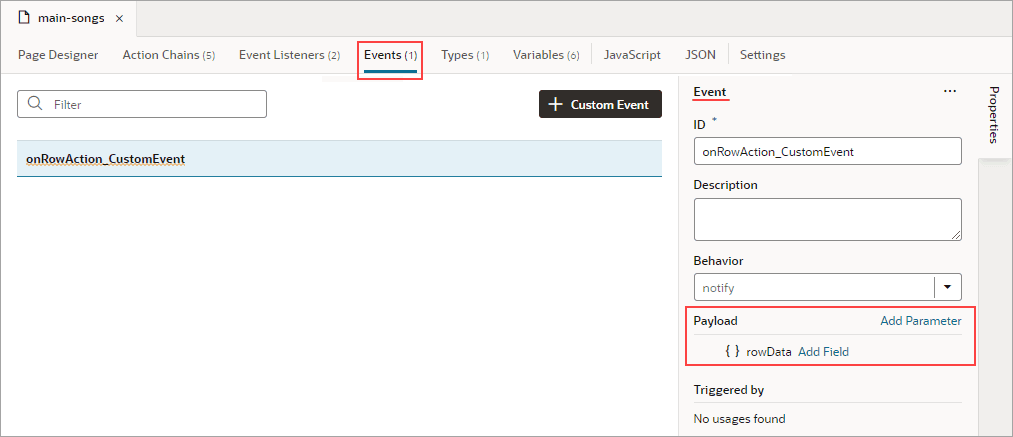
Description of the illustration jsac-create-custom-event1.png
-
For the custom event’s Behavior property, set whether the action chain runs serially or in parallel. The default,
notify, is in parallel. For details about each option, see Choose How Custom Events Call Event Listeners.
-
-
Create an event listener for the event to specify which action chains to start when the event occurs (more than one action chain can be started by an event listener).
-
On the page’s Event Listeners tab, click + Event Listener.
-
In the Select Event step, scroll down to Page Events and select the custom event that you created. Click Next.
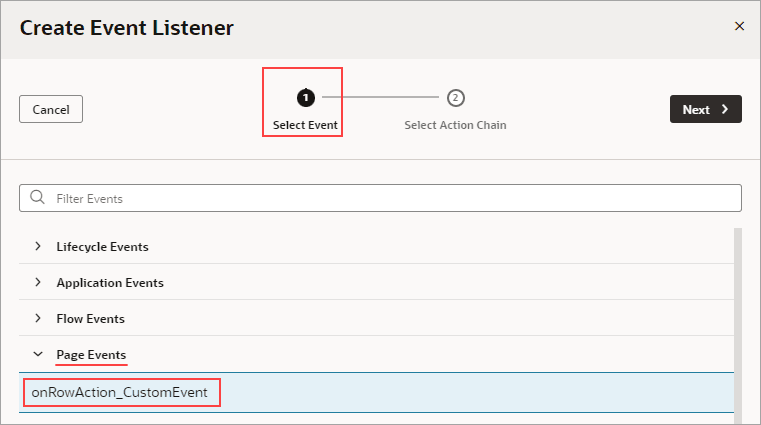
Description of the illustration jsac-create-event-listener-select-event1.png
-
In the Select Action Chain step, click the Add icon next to Page Action Chains.
Description of the illustration jsac-create-event-listener-create-action-chain1.png
When a listener’s action chain is created here, if the listener’s custom event has input parameters, the action chain is created with an
eventinput parameter. Thiseventobject contains the custom event’s input parameters (example:event.param1,event.param2...), and theeventobject is automatically passed to the new action chain. -
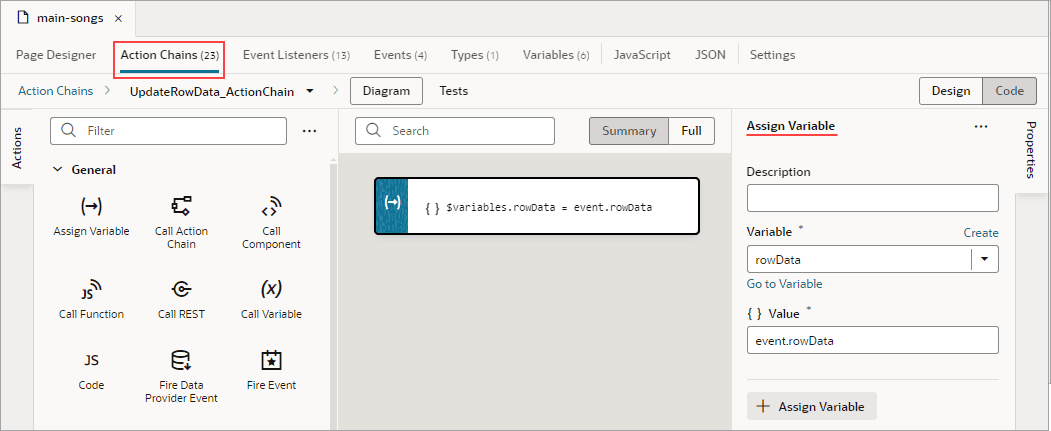
In the Action Chain editor, note that the action chain has the
eventinput parameter, which contains the custom event’s input parameter. Add the Assign Variable action, set itsVariableproperty to the page variable that will contain the row’s data, then set itsValueto the relevant value in theeventobject that was passed to the action chain:
Description of the illustration jsac-create-action-chain-event-listener1.png
-