Test Action Chains
You can use the Tests editor–located on the Action Chain editor’s Tests tab–to implement a test-driven development approach to designing, creating, and maintaining your action chains, or to implement your own methodology. Using the Tests editor, you can easily define test cases for an action chain and run them at any time, to ensure that code changes haven’t broken any functionality.
The Tests editor removes the need to manually code a test for each code path by:
-
Displaying the action chain’s input parameters, context variables, and constants, so you can easily enter their values for testing.
-
Displaying the actions that need their results provided (mocked) for the code path being tested.
-
Suggesting expectations for the test, based on the provided values.
When testing action chains, the first thing you should do is figure out all of the possible code paths, since each one is a scenario that needs to be tested to achieve full test coverage. More complex code paths, however, might have more than one scenario that should be tested.
After identifying the code paths, create at least one test for each, depending on how many scenarios there are for a path. For each test, you need to:
-
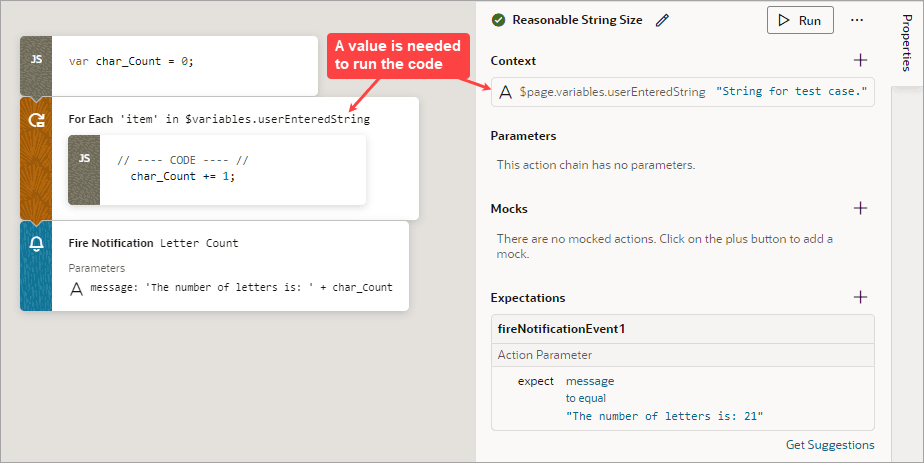
Provide any initial values, such as initial values for variables and input parameters, that are needed to execute the code in the code path being tested. For instance, the code in the following image needs the value of the
$page.variables.userEnteredStringvariable to execute. The variable is used to count the number of characters that a user entered into an Input Text component that’s bound to the variable. Since the variable’s value is needed to run the code, you need to provide a value for it that is appropriate for the test case.
-
For actions that can’t automatically return a value during testing (such as a Call REST action), provide the action’s return value as a mock.
You’ll see the Mocks section only when you have to provide the action’s return value.
For example, in this Action Chain test, a Call REST action needs to get a movie using a parameter called
movieId:
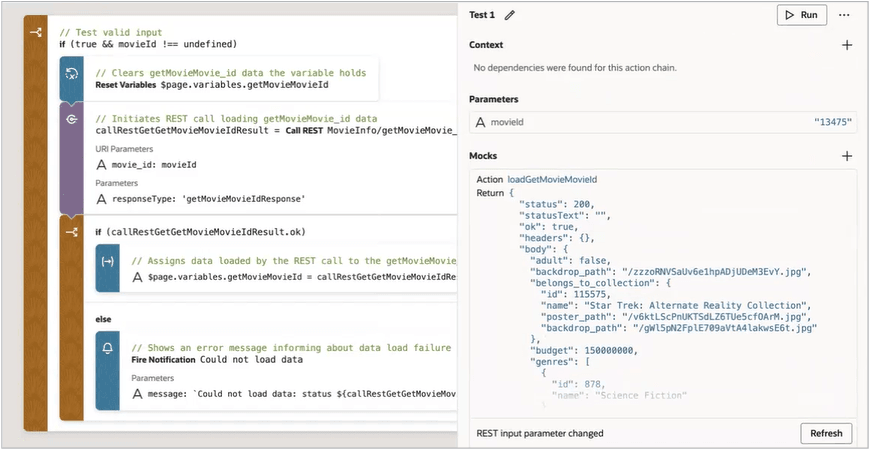
Description of the illustration test-action-chain-rest-api-automatic.png
-
After values are provided for the test case, either by you (for actions that can’t automatically return a value) or the system (for actions that do automatically return a value), VB Studio automatically generates expectations. Select the expected results, such as a variable’s final value, to test against.
For example, after you provide the initial values and mocks for a test, if VB Studio detects that a variable’s final value will be 5, this expectation will be suggested to you. You can then add the expectation to the test, to test against. For the test to pass, all expectations have to be met.
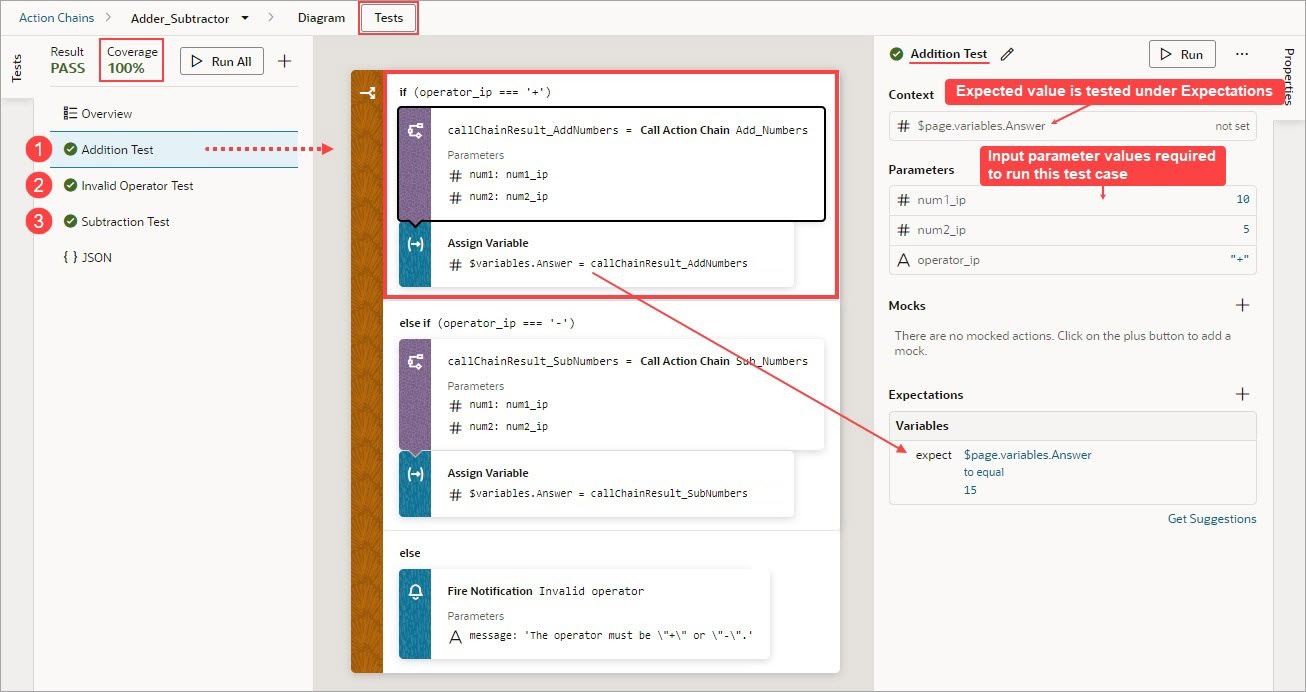
The goal is to fully test your action chain by testing each of its code paths. If your tests cover the expected results for each code path, the value for Coverage will be 100%.
In the example below, three tests have been created for the three code paths that need to be covered to achieve full test coverage: Addition Test, Invalid Operator Test, and the Subtraction Test. Therefore, the value for Coverage is 100%, as you can see in the upper left corner of the editor.
For the Addition Test, which tests the if operator_ip === '+' code block, you can see the three input parameter values in the Parameters section of the Properties pane. The expected results are in the Expectations section.
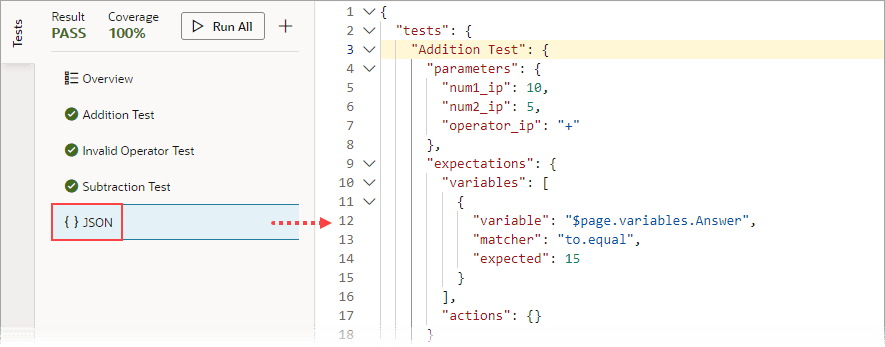
The source code for all of your tests is stored in a separate JSON file, actionchainname-tests.json, for easier maintenance. To view this file’s contents, click JSON in the left pane. You can also find this file under the artifact’s chains folder in the Navigator’s Source View tab.