Use a Sequence for a Primary Key Field
The primary key in a DB table is a single field that uniquely identifies a record. When your primary key column is not an Identity Column or if a “Before Insert” database trigger that could be used to populate its value isn’t defined, you can specify a database sequence to populate the primary key field’s value.
To set a sequence to populate the primary key field:
-
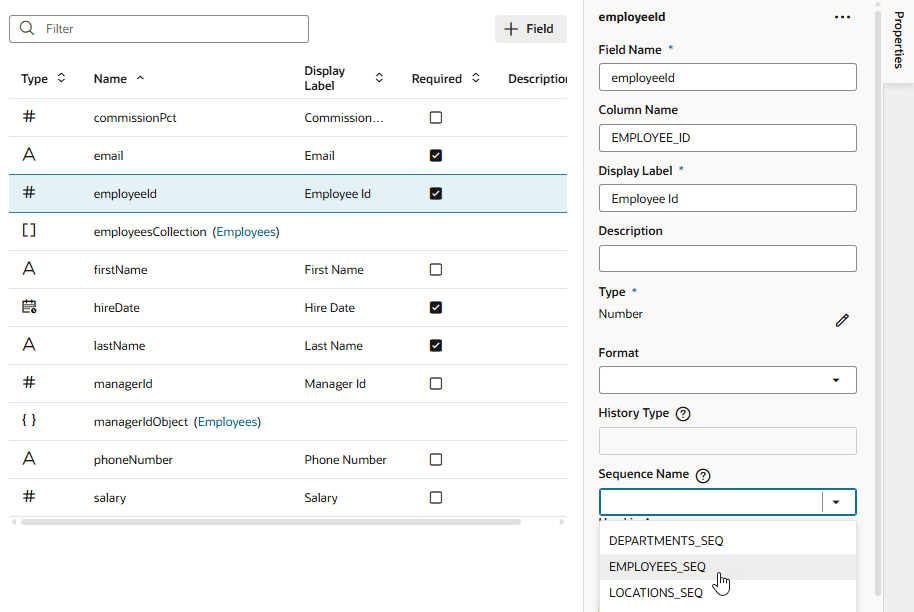
From your business object’s Fields editor, select the primary key field. If necessary, click Properties to open the Properties pane.
-
From the Sequence Name list, select the sequence you want to use to populate the field. The Sequence Name field shows the list of all available sequences in the schema.