Configure a Webhook in VB Studio to Accept Notifications from Jenkins
-
In the left navigator, click Project Administration
 .
. -
Click Webhooks.
-
Click + Create Webhook.
-
From Type, select Jenkins - Notification Plugin.
-
In Name, enter a unique name.
-
In Base URL, enter the base URL of Jenkins.
If the Jenkins job URL is
http://my_jenkins/path/job/my_job, then enterhttp://my_jenkins/path/. -
In Track, select the check boxes for the build job actions to be listed in the Recent Activities Feed of the Project Home page.
-
To display activities that occur after the build server job finishes, select the Build Results check box.
-
To display activities associated with running builds, select the Ongoing Builds check box.
-
-
Click Done.
-
On the Webhooks page, from the webhooks list, select the webhook. From the details displayed on the right, copy the value of URL.
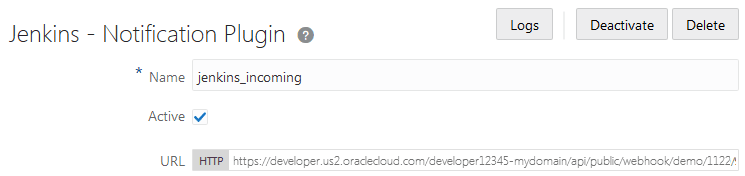
Description of the illustration devcs-webhook-incomingurl.png